Odds and ends: consumer electronics and more - from power banks to smart home

Some of my readers probably know that I am more interested in technology than photography. In photography, my interests mainly concern how light is used. Following news, watching trade-show coverage, or subscribing to photography channels on YouTube is not for me. There are exceptions, but very few.
Technology is completely different for me. Every day I follow the news, get into discussions on Twitter, listen to dozens of hours of podcasts each week, happily read biographies of people from the industry, and so on. When I buy some new electronic device, the decision is almost always carefully considered and preceded by extensive research. It does not matter whether it is household equipment or photography gear. If I am going to buy something, I want it to serve me for as long as possible. So I do not replace equipment often. I prefer buying less frequently but choosing things that will leave me as satisfied as possible. Of course, it does not always work out...
I had long planned to write a little about all the non-photographic equipment I use every day, but I was not sure where to do it. I could probably have written for friendly magazines covering the subject, but I did not want to produce anything resembling a review. I only wanted to string together literally a few sentences about various things, and do so very subjectively. I decided that since the "cudawianki" series on Fabryka-Pikseli works so well with all kinds of things, including some completely unrelated to photography, perhaps it would work here too.
The whole thing became very long, so I left out things such as computers and their accessories. Perhaps I will add them one day because a large part is already written.
None of the items in this post is part of a collaboration or one of the so-called #darylosu freebies. These are things I found interesting enough to choose for myself. I tried to provide affiliate links for most devices. If something has been discontinued, I linked to the model that replaced it.Short contents
- Charging devices
- Headphones and a headphone amplifier
- Wrist accessories
- Multimedia devices
- Smart Home
- Other
Charging devices
I needed a very light power bank that I could always carry without even feeling its weight, and another, slightly heavier one with a capacity of 10,400 mAh.
I used to own the TP-Link TL-TB10400, a power bank that seems to have been something of a cult product in Poland and is shaped like a tower. I found that form impractical, although I know many people praised it. I wanted my next power bank to have a more conventional shape and built-in Lightning and mini USB cables. Not only do you have to remember extra cables, but they also get tangled. If they are shorter replacements, their quality varies. A poor cable produces more heat than energy. But weight was the absolute priority, as little as possible at a given capacity.
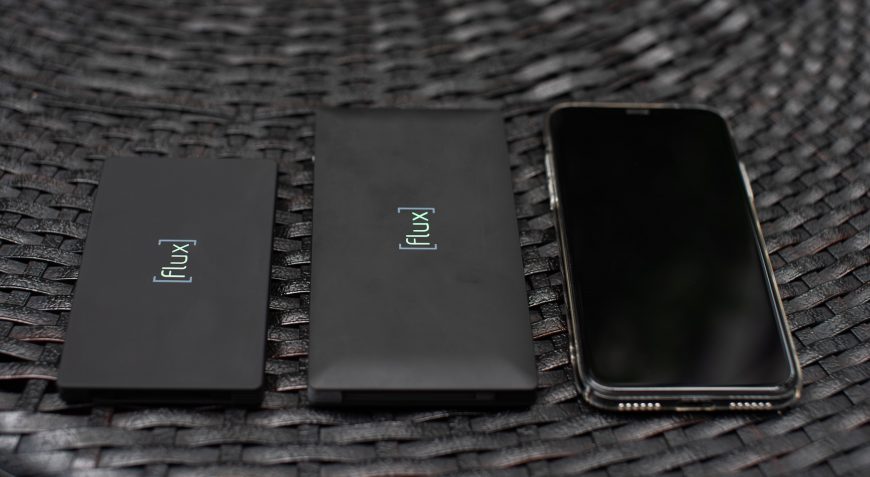
In the end, I bought both power banks from Flux
Flux Charger power bank
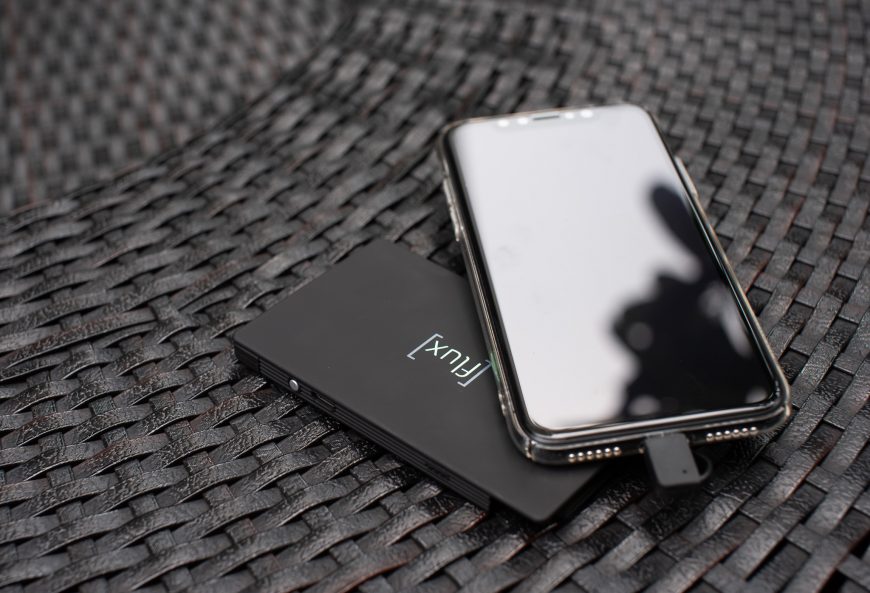
A small and light power bank. It has a capacity of 4,000 mAh and weighs 88 g. That is a very good result, especially since you do not need to bring cables. Charging is 2.1 A rather than the roughly 1 to 1.5 A offered by other small models with built-in cables. You do not need to switch it on either. Just connect the cable, and it is ready. I use it to charge my phone, and it works well. It charges an iPhone X from zero to over 80% in 130 minutes.
Flux Charger Plus power bank
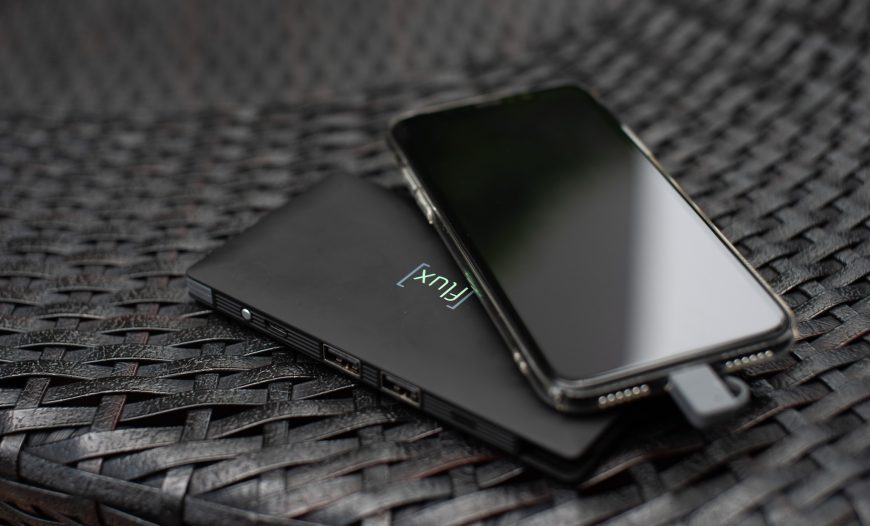
The construction is almost the same as the smaller version, except it has a capacity of 10,000 mAh and weighs 200 g. I could not find anything else with that capacity at the same weight, especially with built-in cables. It is much lighter and easier to store than my previous TP-Link.
The Plus differs from the smaller version in two other ways. First, it has additional 2.1 A USB ports to which you can connect your own cables. Second, you need to switch it on manually. I do not know why. I consider that a drawback because I prefer devices that turn on automatically when something is connected.
I take this power bank only when I am going somewhere farther away. I sometimes use it at home too, such as when I forget to charge my PS4 headset. The built-in cables would be useless then because they are too short, and the Flux would need to hang next to my head. So I connect an ordinary longer cable and use it like a normal power bank.
j5create JUP50
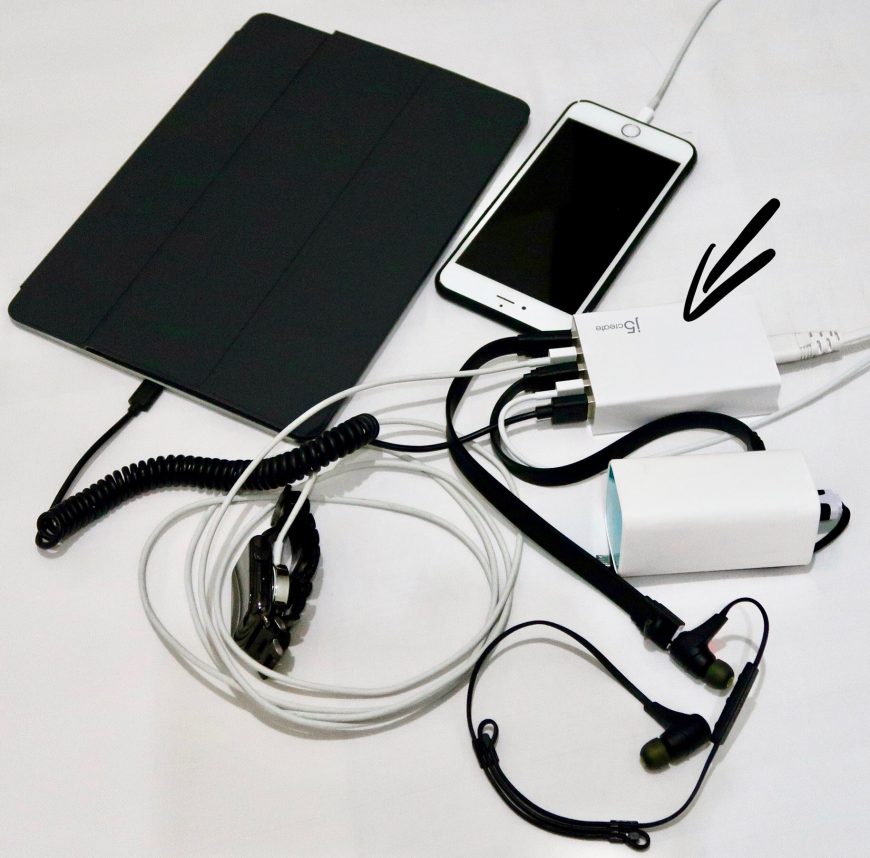
Apart from the power supply, marked with an arrow, this photo also shows my previous power bank
The j5create is a 40-watt power supply for charging five devices at once. Each output provides 2.4 A, so it can charge a tablet too. There is now an improved model supporting QC 3.0, the j5create JUP60, but I have owned mine for several years and do not plan to replace it. So far, I do not have devices that could take advantage of faster charging.
I take it on every trip instead of several different "chargers". It works brilliantly, largely because the power supply does not plug directly into the outlet but uses a fairly long cable. This can be a lifesaver in many hotels because outlets can be in completely impractical places, and I obviously do not carry an extension lead everywhere. At home, the j5 also charges all my devices.
Headphones and a headphone amplifier
I am obsessed with headphones, but not because I am a music connoisseur or, God forbid, an audiophile (ugh!). I like music to sound good and find it unpleasant to listen on very poor equipment, although I am almost certain I could pick out much more in it years ago than I can now. My obsession comes from using headphones very frequently and for long periods, so I want them to be as close to perfect as possible. Perfection would mean completely wireless in-ear headphones with the sound quality of the best over-ear models and excellent ANC. Since those do not exist, I have to make do with others...
I should also add that I do not own any decent audio system. Almost everyone reading this post probably has a much better stereo or home theater system. Headphones have always mattered much more to me.
PSB M4U 2 (over-ear, open, wired with ANC)
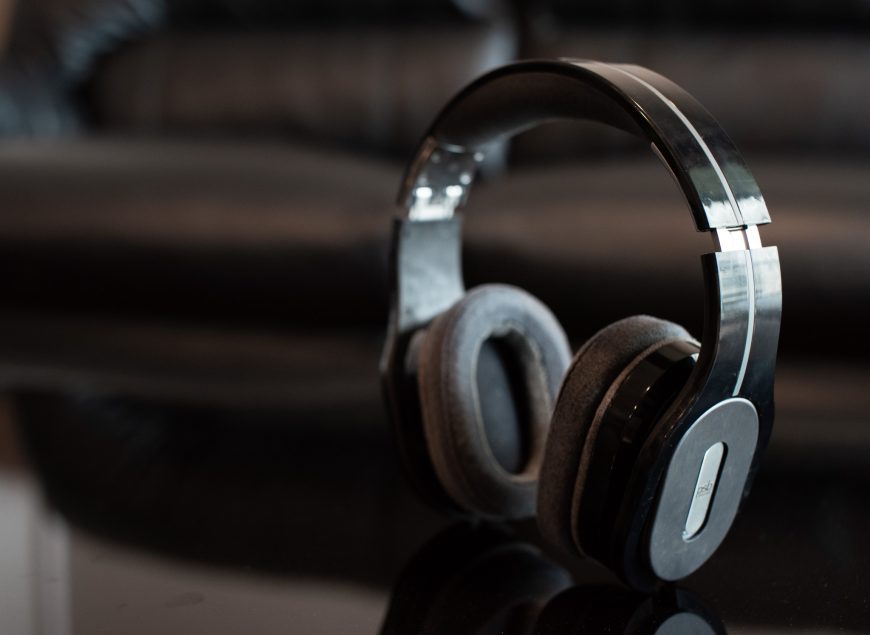
Click here to see them on a price comparison site
This is my equipment for listening to music. When I bought it, I did not yet know that my hearing was probably worse than it used to be. I wanted to buy something properly once and have it last for the next several decades, which seems entirely plausible for headphones. The condition was that they had to be over-ear, open, and wired. Wireless models were inferior in quality then.
The PSB M4U 2 had just launched, and reviewers loved them. They received excellent opinions not only for sound quality but also for comfort. They cost $500, which may not be cheap but was unbelievably inexpensive for equipment in this class. The M4U 2 also has a built-in battery-powered DAC and active noise cancellation, which was completely new at the time.
I bought them. The music did sound very good, but they did not impress me as much as I had expected (see the paragraph about my hearing). I also have a head somewhere between XS and S, meaning small. These headphones change their bass characteristics enormously depending on how tightly they press against the head. They are clearly too loose on mine, especially now, which I will explain in a moment...
They also proved uncomfortable for me during longer use, as most headphones do. Even so, I would still have considered the purchase reasonably successful. I had an additional headphone amplifier for them, and it was fine. Until...
Eventually, they literally began falling apart. It is not only my pair either. I think almost every user has similar problems. Once the leather on the ear pads and headband started crumbling, it happened so quickly that I eventually had to scrape off the rest myself because it was all over the apartment. The headband also either stretched in a very strange way or broke, and it definitely cracked. As a result, the ear pads only press lightly, which, as I mentioned, completely changes the quality with this model. Now I can forget good bass unless I press them against my head with my hands. Music generally sounds completely different when they are closer to my ears. If I shook my head more firmly, the headphones would fall off because they stay on so poorly.
Mine could only have been damaged by falling from the desk, so from a small height. Headphones in this price range are usually durable, and you can bend the headband so far that looking at it hurts. Seriously, it would never have occurred to me that you could do such things without breaking the headphones in 30 places. The headband on the PSB M4U 2, however, is beyond delicate. The plastic around the ear pads also melts at Thai room temperature. It becomes sticky, grabs every tiny speck of dust, and is best left untouched.
I would not buy these headphones again because of the awful build quality. Even new ones have lost a lot of value, which I assume is precisely because of that workmanship. Their active noise cancellation is poor too, completely incomparable with the Bose QC35.
Unfortunately, I have nothing better for listening to music, and it would probably be difficult to find anything without spending many times more. So I did not get rid of the PSBs, and they remain with me. One day I will work out how to repair them or, even better, how to combine their drivers and electronics with the body of some Bose headphones :).
AudioQuest DragonFly Red headphone amplifier
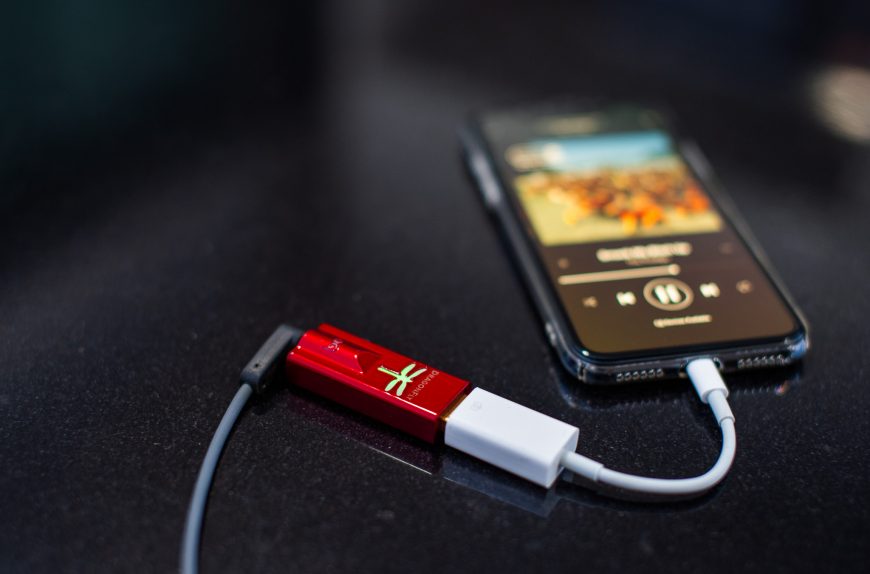
Click here to see it on a price comparison site
This amplifier can drive even very demanding headphones. Mine are not demanding. But the DragonFly Red is also incredibly small and power-efficient, which matters when you want to use it with a phone. This amplifier supports that. iPhones and Android devices detect it, and it requires no additional power. My PSBs have a built-in DAC, so an extra amplifier does not give them as enormous a boost as it gives other headphones. It still improves the sound and lets me play music even louder, followed by surprise that my hearing is not what it used to be... It is particularly useful with my MacBook laptop because a good sound card was clearly not a priority for its engineers.
I previously owned a typical computer headphone amplifier, the Audiotrak Prodigy Cube. With the DAC in the headphones enabled, I did not feel its quality was much worse than the DragonFly's. When listening to music on the phone, the DragonFly is mainly useful for tracks recorded more quietly. But if I were not using the DAC built into the PSB, which can be turned off, listening to music directly from the phone would be out of the question. The DragonFly gives it a major boost.
Bose QC35 II (over-ear, closed, wireless with ANC)
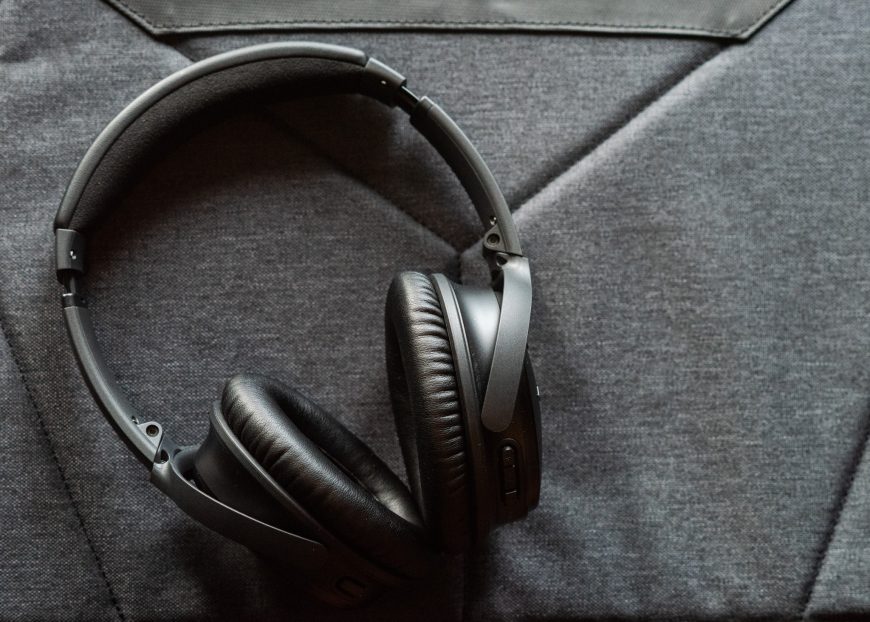
Click here to see them on a price comparison site
I have owned these for the shortest time because I only bought them at the start of the year. Almost everyone interested in over-ear headphones has probably heard of the QC, so I will not write much that is new. They are legendary headphones because they were the first, including earlier generations, with active noise cancellation that worked this well. They are also often held up as a model of comfort. They even fit my head well. They are wireless, last more than 20 hours on a charge, and, very, very importantly to me, can be used with two devices at once. I listen to music from my phone, and someone calls. I answer on the iPad and conduct the conversation through the headphones without manually switching devices in the Bluetooth settings. Later I start YouTube on the iPad, then return to music on the phone, and the headphones jump between devices automatically. Magic. I also sometimes use them for phone calls. Apparently, the microphone picks up what I say well, even in fairly loud surroundings. Unfortunately, the Bose then switches into some strange headset mode in which the button on the body cannot adjust ANC, and the cancellation quality generally seems worse to me, although I would need to test it longer.
Listening to music on these headphones will not blow anyone away. The sound quality is very mediocre. Many much cheaper models sound better. You do not buy the QC for sound quality, but for comfort and ANC. I cannot fault them in those respects, although the days when Bose was the best are over. Sony has better noise cancellation and playback controls, while many settings can be changed in an app that is much better than Bose's. But I can use the QC35 with two devices at once and wear them for hours. Neither the Sony MDR-1000XM2 nor any other headphones allowed me to do that.
Since buying the QC35 II, I take them everywhere. They are not headphones for savoring music. They are for wearing outdoors and while sitting in various public places. The noise in Bangkok, both around the city and in shopping centers, or practically anywhere, is much greater than in Poland. Compared with Asian metropolises, Warsaw is a quiet little town. The ANC in the Bose handles this noise very well. It obviously does not make everything inaudible, but the difference is incredible. The greatest impression comes on an airplane, where the enormous noise has a low frequency. That is where active noise cancellation works best. Putting these headphones on someone who has never experienced ANC and watching their reaction is priceless.
ANC lets you play recordings much more quietly because they do not have to cut through all the surrounding noise. At first, switching active cancellation off produces such a roar that it seems impossible for the surroundings to be that loud. Initially, I even thought the headphones were using their microphones to pick up and amplify ambient sound when ANC was off, a feature some models have. Bose does not do that. The difference between ANC being on and off is simply that great.
I should add that I have slept with earplugs for 15 years, even though my apartment was almost always quiet anyway. I also wear them every time I fly, and so on. I therefore probably appreciate the ANC in the Bose even more than most people. Consequently, I would happily accept much better noise cancellation once someone creates it.
The QC35 II is not perfect. At this price, it should sound better, and a new design would definitely help. The Bowers&Wilkins PX, for example, is much better in those respects. I would also like them to play a little louder, although that applies to almost every pair of headphones. Still, after adding up all the advantages and drawbacks, the Bose QC35 II is my number one away from home.
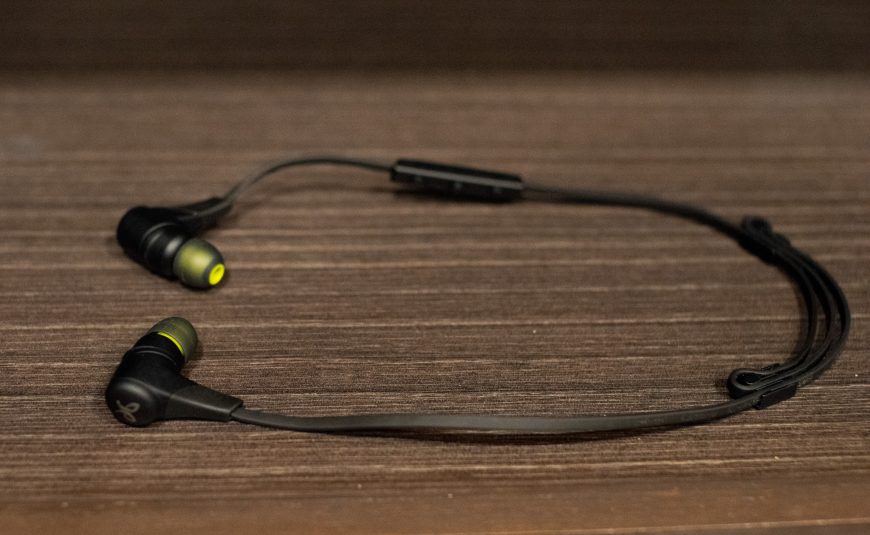
Jaybird X2 (in-ear, wireless)
Click here to see the model currently on sale
For several years, these were my main headphones outside the home. Earbuds do not work for me at all. They do not stay in my ears as well and provide no isolation from the surroundings. In-ear headphones are very comfortable for me and provide some isolation, although it is nothing like ANC.
I listened to podcasts and watched YouTube with them. They have no audio delay relative to the picture, which I thought was normal. I later discovered that even today many Bluetooth headphones do have one.
They last just under eight hours without charging. Music quality is very mediocre. Ordinary wired headphones costing 100 PLN, the SoundMagic MP21, performed better in that respect. But the Jaybirds sound better than EarPods, for example. There is now an X3 model.
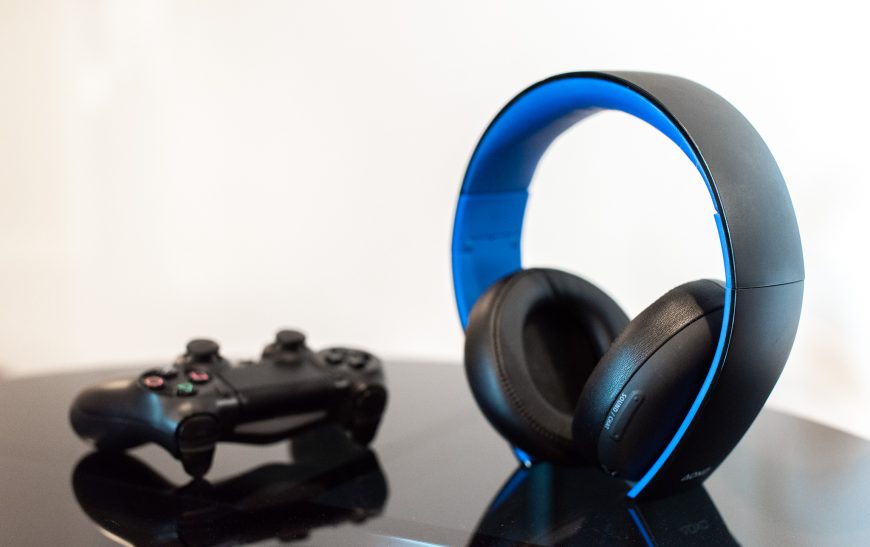
PlayStation Gold Stereo 2.0 Headset (over-ear, closed, wireless)
Click here to see it on a price comparison site
This headset is designed for use with a PlayStation 4, but it can also be connected to a Nintendo Switch, for example. I bought it so I could finally communicate properly with my team in Overwatch and hear more clearly as they told me how badly I play. It works quite well for that. The insults are clearer than ever, and I can adjust game and voice chat volume separately. The control is completely unintuitive, but I think that comes from the console's limitations.
The sound quality is average but entirely reasonable given the price. Unfortunately, I find gaming in it uncomfortable. My ears hurt after only 30 minutes, so I always take it off while searching for a match. I have also heard that it is terribly made, but I have only owned mine for a year. So far, the leather on the ear pads has started to deteriorate where my glasses press against it, but the rest is still okay.
Its range is catastrophically bad. I did not even suspect any device could be this awful. All I need to do is stand up to refill my drink three meters away, and it starts crackling and losing the connection. This happens even faster when the battery is low, and sometimes it cuts out while I am sitting two meters from the console. I should have bought a better headset, but since I already have it, it can stay. I also considered connecting the Bose QC35 II to the console. That requires a special Bluetooth dongle, preferably with very low latency, but it can be done with the Creative BT-W2, for example. What puts me off is the lack of buttons for voice chat and muting the microphone, both of which the headset has and I use constantly.
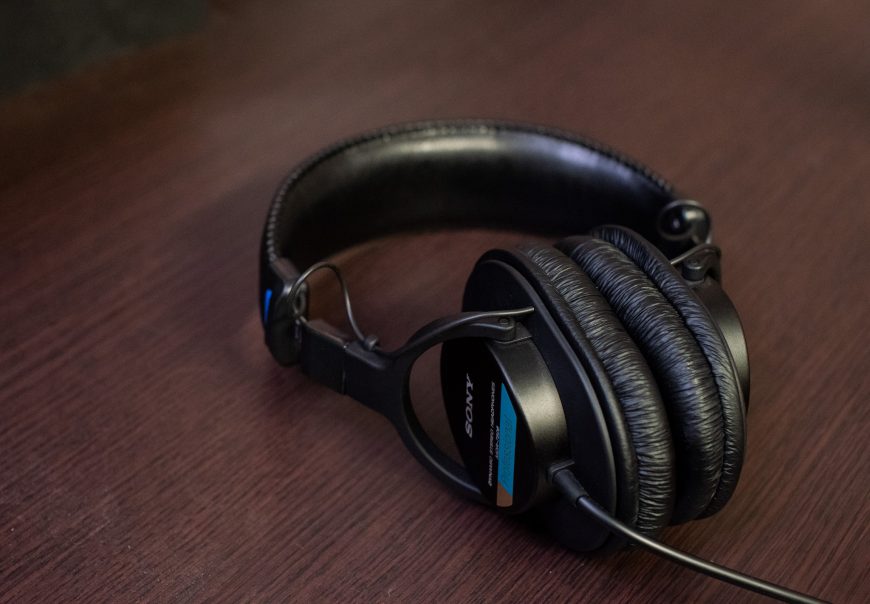
Sony MDR-7506 (closed, wired over-ear monitors)
Click here to see them on a price comparison site
I will not write much about these headphones. They are monitors, meaning headphones intended specifically for monitoring. They are not suitable for listening to music, but they sound as neutral as possible and leak little sound. This is one of the two most popular models used by radio stations around the world, which is also why it became popular among podcasters and people recording any kind of audio in general. Mine is permanently connected to the microphone. Unfortunately, I did not own them when I made my previous recordings. Because my microphone picks up sound leaking from standard headphones very well, I had to record everything without monitoring. After only a year, the ear pad covering is slightly damaged. Unfortunately, like almost all other headphones, these are uncomfortable for me too. Their construction is very shallow, and they are fairly small overall, so they do not surround the ear completely. They are considered very comfortable, though. I am simply incompatible with them.
Then there are all the wired in-ear headphones I no longer use. I once wanted to buy the best in-ear model possible but gave up after listening in a store. Fortunately, because I would have bought wired ones then, and now I would not use those even if someone gave them to me for free. I do not even take EarPods out of the box. They are the complete opposite of what I expect from headphones.
Wrist accessories
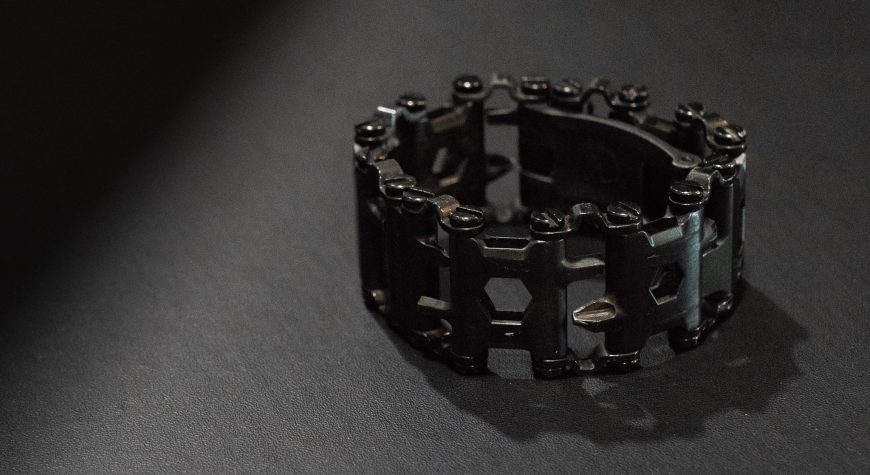
Leatherman Tread bracelet/multitool
Click here to see it on a price comparison site. There is also a silver version
My love at first sight. As soon as Leatherman announced the Tread, I knew I had to own it. Unfortunately, I had a long wait for the launch because it was delayed repeatedly. Fortunately, I finally managed to buy one in 2015. What is the Tread? It is a bracelet that also serves as a TSA-compliant multitool. You can fly with it, and security will not say it is a weapon (unless you are at Chopin Airport... but more on that later). Once removed from the wrist, it can be used as screwdrivers and wrenches of various sizes, as a bottle opener, or as a very specific knife. It is sharp enough to cut easily through a car seat belt after an accident. There is a glass breaker too. Obviously, the Tread cannot do everything normal tools can, but it is not supposed to replace them.
For someone who has always taken apart everything within sight, the bracelet gets used fairly often. I have the black version, and unfortunately the silver underneath now shows through on most of the tools. This begins after the first few uses, but it is not very visible and does not bother me. The silver showing through is much more apparent on the link that rests against a table when your hand lies on it. I am not too worried because Leatherman has an excellent warranty policy. At worst, they will replace its parts in 25 years, since that is how long the warranty lasts. Still, I think the color should hold up better. After a longer period, the black bracelet on my watch has far fewer signs of wear.
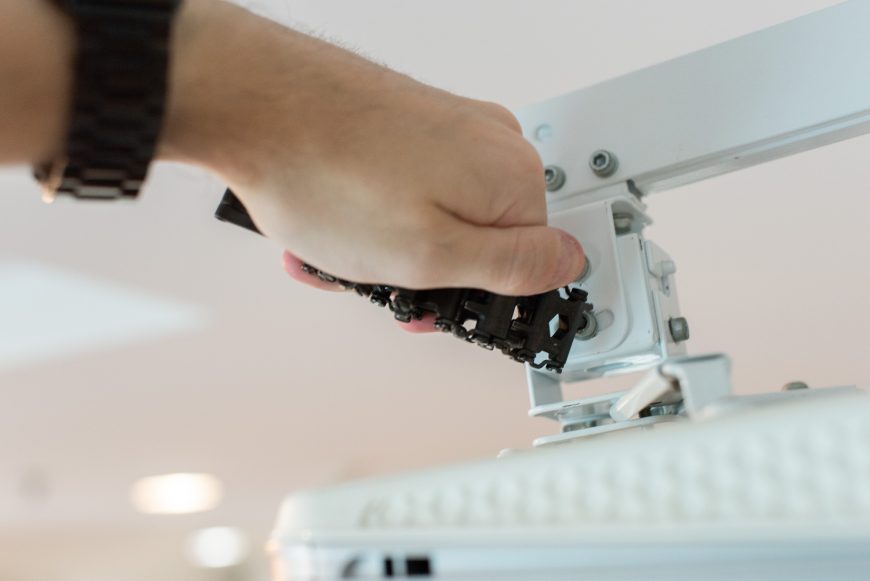
Almost no multitool can be taken onto an airplane, but as I mentioned, the Tread was made to comply with every TSA guideline, so you can fly with it. Once, however, I encountered security staff unfamiliar with the rules at Chopin Airport in Poland. At the sight of the Leatherman name, they began panicking and saying that nothing from this company could be carried. I messed up a little because I removed the bracelet from my wrist for the X-ray. If I had known I would encounter an idiot on the staff, I would simply have walked through the gate with the bracelet fastened to my wrist, and they probably would only have checked me additionally with a metal detector. But we are talking about idiots unfamiliar with their own rules. At the same airport, staff tried to persuade a friend that he had to disassemble one of Nikon's top lenses (?!). Fortunately, staff in other parts of the world were better educated.
The bracelet can be configured in different ways. You can change the link order, remove the least useful links to adjust the size, and so on. There are 29 tools in 10 links, one of which is smaller than the others and can make it even easier to get a perfect fit. You can also buy tools that are not included as standard. Adapters even let you use the bracelet as a watch strap, and a ready-made set exists: the Leatherman Tread Tempo.
Steel Apple Watch Series 0
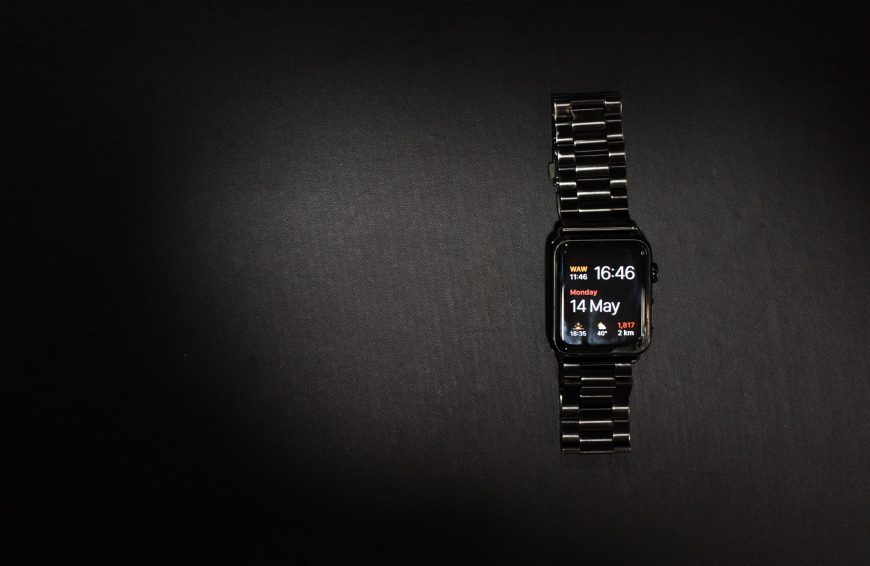
The very first generation of Apple Watch is probably the most unfinished product the company has ever released. Strangely, it keeps improving over time. It is much faster and lasts longer on a charge than it did at first. The first version of the operating system was so awful that optimization has turned it into completely different hardware from the product on launch day. Apart from checking the time, I use the watch to display notifications, read shorter emails, and archive them when they do not require a reply. I use it to read messages and sometimes dictate answers. I regularly check the weather too, especially the current feels-like temperature through the Carrot Weather icon on the main screen. I also glance at the number of steps I have taken that day, and when I happened to exercise, I started workout mode. Apart from that, I use Siri almost exclusively through the watch, always with "Hey Siri" rather than by pressing the button. Siri mainly controls my lighting and adds things to my shopping list. Unfortunately, it works slowly. I say a command, and it is only executed several seconds later, which can be annoying, especially when controlling the lights. Newer Apple Watches are much faster. Unfortunately, Siri seems intellectually disabled, and I cannot expect much more from it. If its IQ matched Google Assistant or even Alexa, I would probably talk to it about more things.
I use the watch for phone calls very rarely because I prefer to answer directly on the phone. I never launch applications on it because they run too slowly. I used to unlock my Mac with the watch, but after I damaged it (the watch, not the Mac), that function stopped working. How did I damage it? It fell from my bedside cabinet, about 40 cm, onto tiles. Even the glass cracked. I will only replace it with a fourth- or fifth-generation Apple Watch. Unfortunately, I only want the steel version. I do not understand why every aluminum model is finished in a way that makes it look like a plastic toy. I had an aluminum one at first but could not stand looking at it and had to replace it.
I bought several straps for it, but in the end I only use the black metal bracelet from Hoco.
Multimedia devices
BenQ W1070 projector (Full HD)
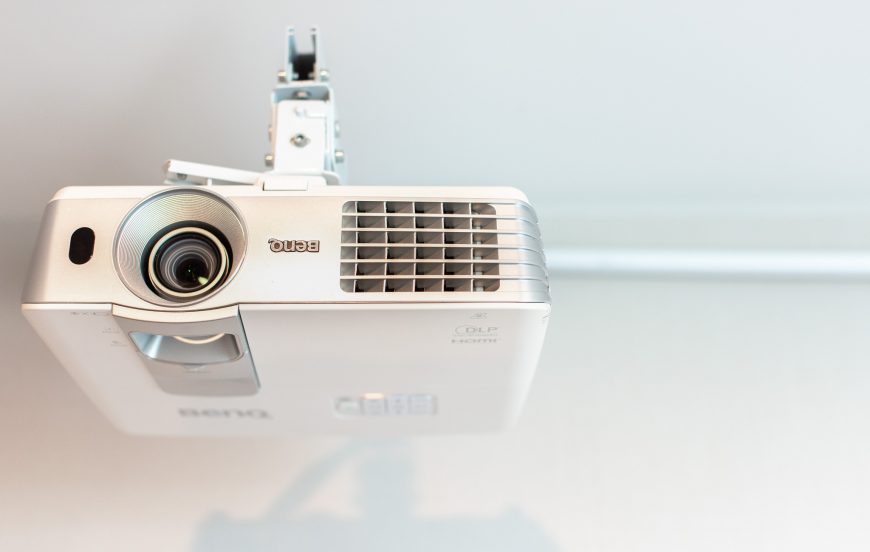 This is already old equipment that did not amaze with its quality even on launch day, but it was very good for its price of about 3,200 PLN. A newer model from the series is now in stores: the W1090. I watch movies and series on the projector and play console games. I would never replace it with a good HDR 4K television. Excellent quality simply does not impress me much when it is on a tiny 65-inch screen. There is no comparison with the cinema experience, even when sitting a meter from the TV. A large TV, meanwhile, is enormously expensive, and its image would still be smaller than on a good projection screen. I would rather spend the money on a better projector and a high-quality screen.
Unfortunately, my screen, a fixed-frame Vertex with 0.8 gain, is only 100 inches because that was all that fit on the wall in my previous apartment. Only a slightly larger one would fit here too. That is why I have to move the chair fairly close every time.
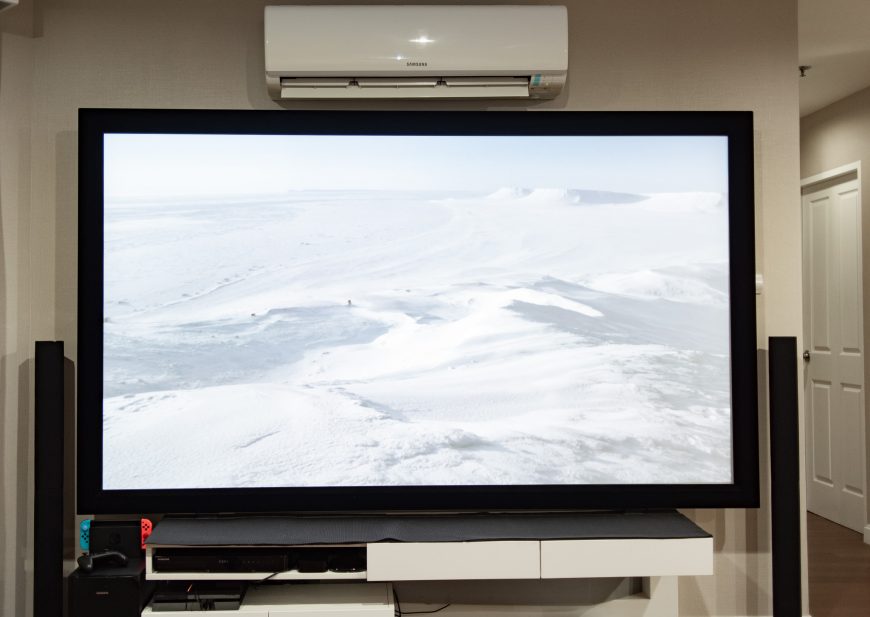
Click here to see the model currently on sale on a price comparison site
In the future, I will certainly replace this screen with a larger one, around 130 inches. I am afraid 150 inches would require a higher ceiling for sensible installation. I would most like to buy one that also gives excellent quality in a room that is not darkened. Unfortunately, screens like that cost many times more in Thailand than in Poland, so for now I am keeping my current Vertex.
What bothers me most about my BenQ is that black is only cinema black rather than what you get from a good television. Good home theater projectors can produce a much better image with far better blacks. I will only replace mine with a decent laser, ultra-short-throw model placed directly below the screen rather than mounted on the ceiling against the opposite wall, with very good contrast, 4K, and HDR. So far, no model fits me completely, but everything suggests one will appear soon. Fortunately, Xiaomi offers something of this type, but only at 1080p. If the company eventually makes a 4K version, it will probably be available for a four-figure rather than five-figure price. I will happily buy one then, even though it will probably once again be exclusively for the Chinese market.
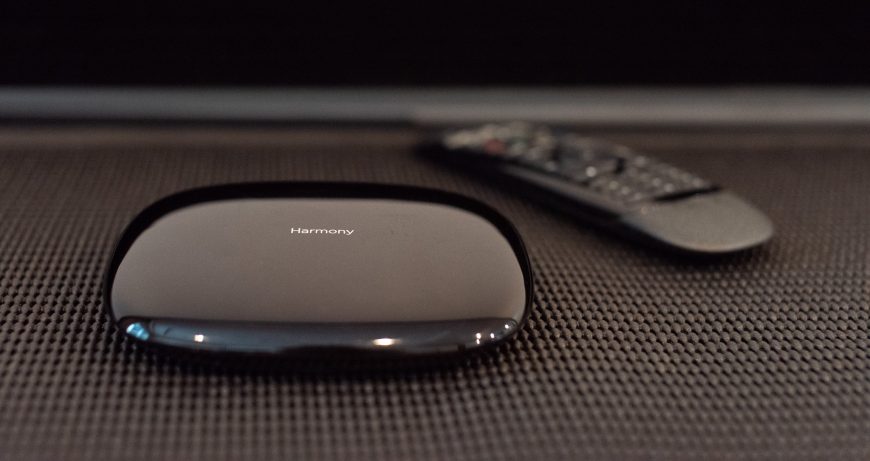
Logitech Harmony Companion (remote + hub)
Click here to see it on a price comparison site
I do not know what I would do without this. It is a wireless remote with enormous configuration possibilities, connected to a hub that distributes infrared throughout the room. The remote communicates with the hub by radio. Without needing to aim toward any device, I press the button for watching Netflix, for example. The remote sends a command to the hub, which uses infrared, and Bluetooth too, to perform a whole sequence of tasks: it turns on the projector, switches to the correct HDMI input, starts the audio system, turns on the projector, dims the room lighting, and so on. Normally, I would have to do all of this manually.
Of course, you then control all that AV equipment with the same remote, including volume, menu navigation, and everything else. It continues to work by radio, so it will even operate from my pocket. You configure different activities, such as watching TV, listening to music, or playing a console. My remote supports up to six, and another version has a built-in touchscreen.
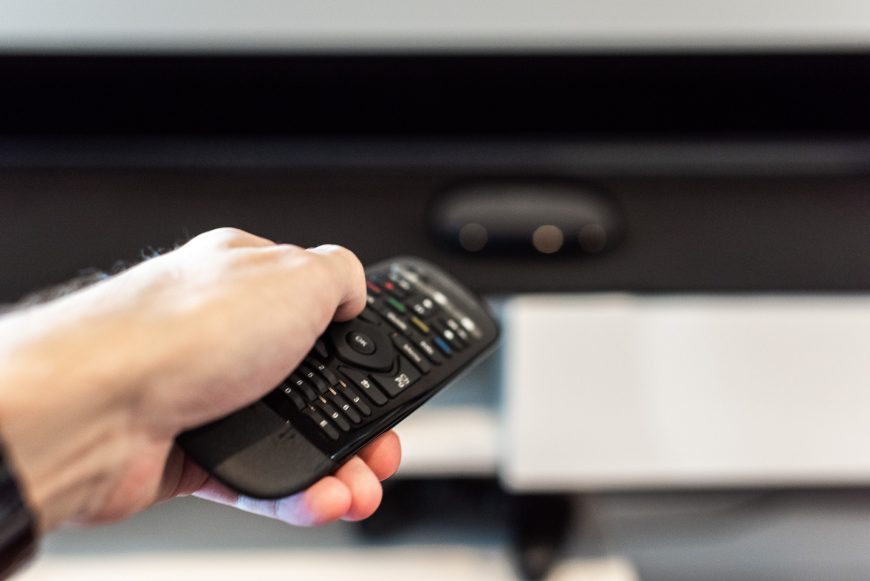
The database of supported devices is enormous, and as a last resort you can copy commands from another remote. I did that with the HDMI switch and air conditioner. Battery life surprised me very positively. I did not need to replace the battery until three years later. You do not actually need to own or use the remote at all because a phone app can replace it. But in the time it takes me to pull out my phone and do something on it, I could perform the same action seven times with an ordinary remote. I cannot imagine using the hub that way.
Unfortunately, Harmony does not support HomeKit natively, and I always had problems when using it through Homebridge.
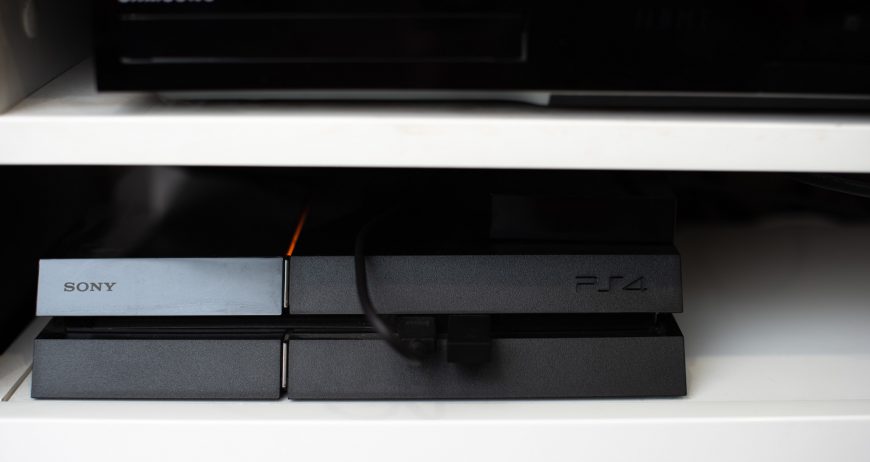
PlayStation 4
Click here to see the version currently on sale (Slim) on a price comparison site. There is also a more powerful version: the PS4 Pro
I own the first version of the PlayStation 4, the so-called PS4 Fat. I bought it to play The Witcher and find out whether the console version of Diablo 3 really was better than the PC version. It is. Later, I bought Overwatch at launch. I had not really planned to play it, but since Blizzard created it, I could not avoid trying. Even though I play casually and still have not reached Diamond rank, it completely hooked me. I still have an excellent time with it today. In the meantime, the Uncharted series absorbed me, and I fell in love with Horizon Zero Dawn. I certainly will not switch to a PlayStation 4 Pro. Only to the PS5 when Cyberpunk 2077 comes out.
I do not own PS VR, which I regret because I had been sure I would buy it, preferably with a treadmill. Unfortunately, it lacks titles I would like to play. Everyone also discourages me by saying they bought one and now it gathers dust. Unfortunately, all of them are in Poland, so I cannot borrow one. In the end, I am waiting for the technology to develop further and for more real games rather than only "VR experiences".
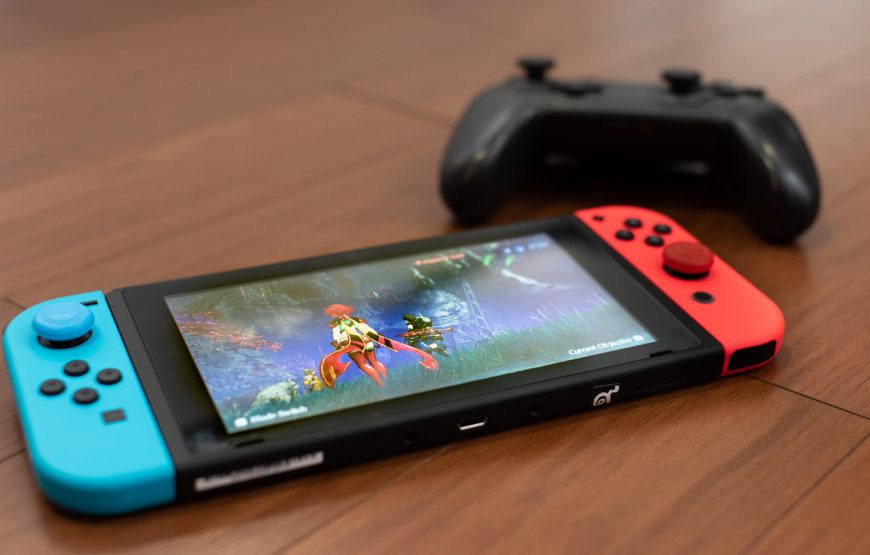
Nintendo Switch
Click here to see it on a price comparison site. There is also a gray version. I would never have thought I would choose the colorful one for myself
I have only owned the Switch for a few months. Nintendo games had never interested me. Only the arrival of the new Zelda changed that. Everyone was talking about it, so as a fan of computer RPGs, I had to try. But because wireless headphones could not be connected to the Switch (WTF?!), I waited to buy one until the next generation fixed it. Then one day Diablo 3 was announced for the Switch. I realized there was no point waiting and rushed to the store for the console so I could complete Zelda and other titles before D3 appeared. Given the choice now, I would prefer to buy every game for Switch rather than PS4. The ability to take it anywhere is better than improved graphics, even though so far I mostly play on the huge screen rather than in handheld mode.
The Switch was worth buying for Zelda and Xenoblade Chronicles 2 alone. Unfortunately, Splatoon, which I thought would replace Overwatch for me, did not manage it.
The display in this console practically screams that this is where they cut costs badly. The bezels are huge, as if the console were 10 years old, while the anti-reflective coatings are nothing like those on new iPads. You forgive the Switch all of this because it is simply excellent to play.
Of course, I also own the Pro Controller. It is well made and more comfortable than the PS4 controller, but has worse vibration and an imprecise D-pad.
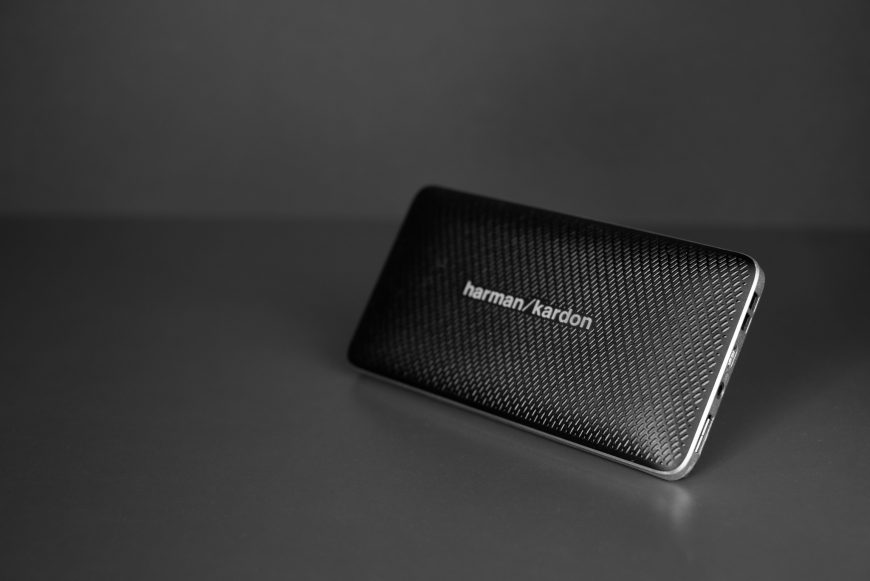
Harman Kardon Esquire Mini Bluetooth speaker
Click here to see it on a price comparison site. There is also a white version and a gold version
I wanted the smallest and lightest possible Bluetooth speaker that would still play reasonably loudly and well. The HK Esquire Mini was the only one that met those requirements completely. It is the size of a thick smartphone. Whenever I play music from it for someone, they are shocked that a speaker this size, containing a battery too, can produce sound like this. The Esquire Mini sounds neutral, so podcasts are also very clear. I would unquestionably choose it again. I used it most while traveling, when phones and tablets had such poor audio that without an extra speaker you could forget any sound quality or acceptable volume. Only the iPad Pro meant I no longer had to bring the speaker. The Harman obviously sounds better than the tablet, but the fewer devices I carry, the better.
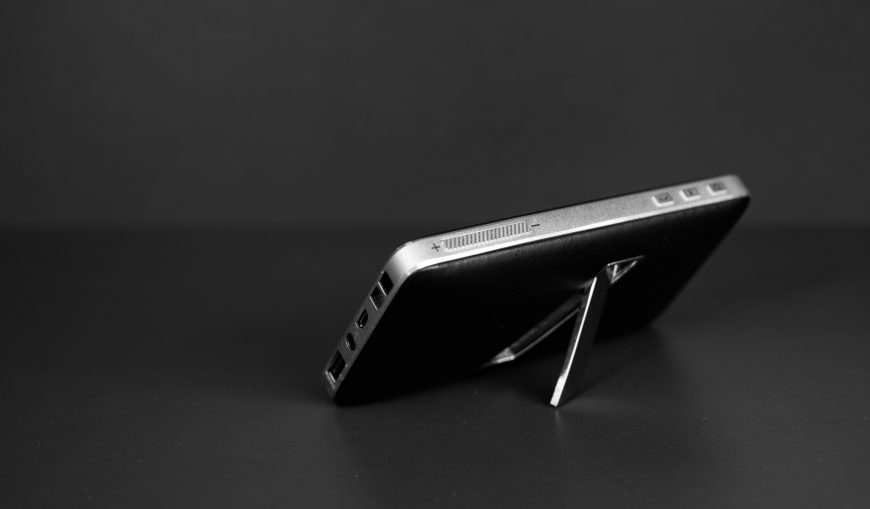
Unfortunately, I damaged my unit. I think it hit something hard while inside my backpack. Apart from marks on the body, this also affected the sound, which began crackling. I am very sorry it happened. If I were going to replace it now, I would simply buy exactly the same thing again.
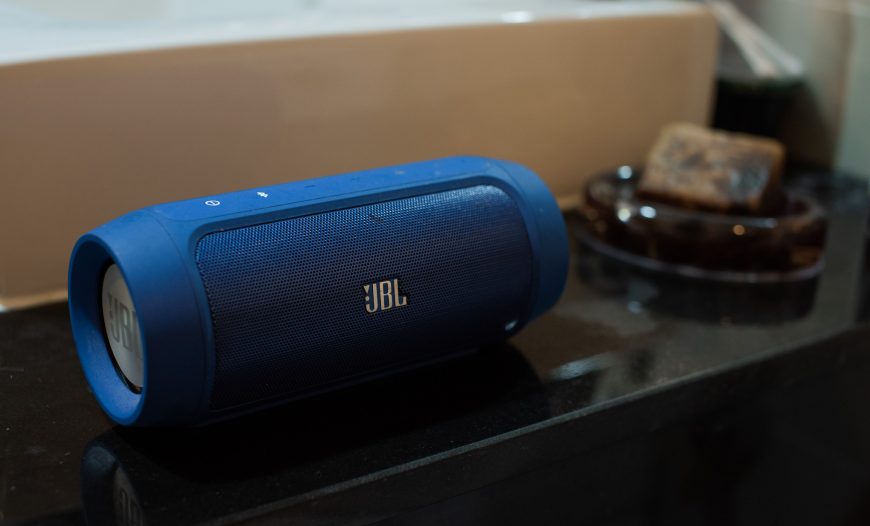
JBL Charge 2 Bluetooth speaker
Click here to see the version currently on sale
This model has been discontinued for a long time and was replaced by the larger Charge 3. Mine stays permanently in the bathroom. It is definitely larger and heavier than the Harman Kardon, and its character is much more bass-heavy, which makes it very poor for listening to podcasts. It is fine for music. The sound quality it produces can also surprise many people, unless they have already heard what the Esquire Mini can do.
Smart Home
Philips Hue smart lighting When I replaced my lighting with "smart" products, only Philips bulbs worked with HomeKit, and I was not yet playing with connecting other things through Homebridge. The choice of lighting is a little broader now, but I think I would choose Hue again. Another interesting option is certainly Ikea Tradfri, which is slightly worse but much cheaper. The Philips advantages are not proportional to the increase in price, so I would need to think about it, and there is a chance Tradfri would end up in my home instead. There is still one place where I have not installed smart lighting, and I still do not know what I will put there.
There is no possibility of going back to an apartment without smart bulbs. The fact that maximally white light comes on in the morning and gradually becomes dimmer and more orange is excellent for my lifelong problems with my circadian rhythm. There are also different activities for different uses, automated and connected to Logitech Harmony, the remote I already described. Hue dimmers on the walls complete the setup. I practically never remove them and use them as remotes, only as light switches. I prefer telling Siri what to do with the light instead of reaching for a remote. Especially since Siri lets me do much more, such as activate any activity or change the brightness of only one light without touching the others.
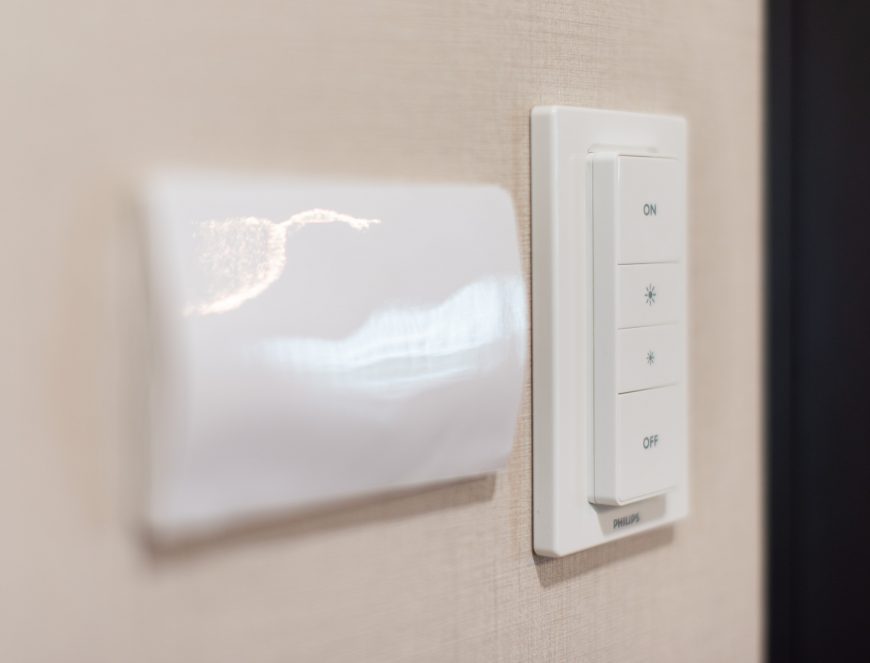
Click here to see the starter set on a price comparison site (three bulbs plus one dimmer and a bridge)
I do not own any floor lamps, LED strips, and so on. I only have second-generation color bulbs with E27 fittings, which serve as ceiling lights. I have no lights other than those on the ceiling. If I did, converting them to smart lights would also be essential. Otherwise, the whole thing would make little sense.
My bulbs let you change not only the color temperature but set any color. I do not need that every day, but the "white" range from 2,000 to over 5,000 K is very useful. Colors would be much more useful if I owned a TV instead of a projector, or at least a screen for daytime projection. Then I would set the room lighting to work with whatever appeared on the screen.
Unfortunately, geolocation does not work for me at all. I mean automatically turning the lights on and off when entering and leaving home. I live somewhere where I often go out to eat or sit several floors below. I am in the same building beneath the apartment, but GPS still sees it as the same location. I plan to solve this with some kind of beacon or possibly a motion sensor. But that is only because I want complete automation. I could easily live without it thanks to the dimmers and Siri. I do not understand people who install smart lights and MUST control them with a phone because they have not set up full automation or dedicated switches on the walls.
Some of you are probably wondering whether smart lighting like this is suitable for a retouching room because you can adjust both brightness and color temperature. It is suitable in theory, but in practice it is simpler to use a fluorescent light, which makes it easier to illuminate a large area evenly.
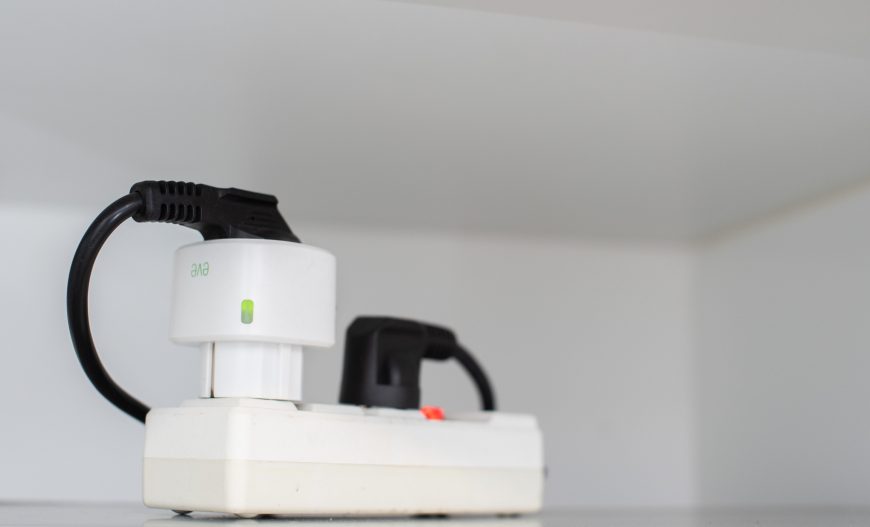
Elgato Eve Energy outlet
Click here to see it on a price comparison site
This is actually an adapter that goes into an outlet, and the device requiring power plugs into it. I bought it when no alternative existed. Only Elgato offered an outlet with native HomeKit support, and I was tired of turning a lamp on and off with an ordinary remote that was always somewhere other than where I needed it. Elgato works well, but I think it is too expensive for what it offers. Fibaro now makes excellent, very compact smart outlets. Several other options have also appeared, and I do not think paying extra simply to own the Elgato makes sense. Apart from letting you switch the outlet on and off remotely, it measures power use and displays related statistics in the app. There were periods when something clearly failed and I saw "no data", but I think the current software has fixed it.
I later bought Philips Hue, and the outlet became unnecessary, so I invented a use for it by force. It is connected to the water dispenser, the device that heats water to boiling and chills it until ice-cold so it is ready to pour at any moment. Now, when I go to sleep, the Elgato automatically switches the dispenser off. Because I get up at different times, it does not start at a specific hour but when the living-room light is turned on after the night. This only happens during hours when I might actually have got up for good. If I turn the light on in the middle of the night, the dispenser remains inactive. This saves a maximum of a few zlotys per month, which is not exactly staggering, but I currently have no other use for it. Still, I have no doubt that if I sold it, 10 brilliant ways to use it would appear the next day.
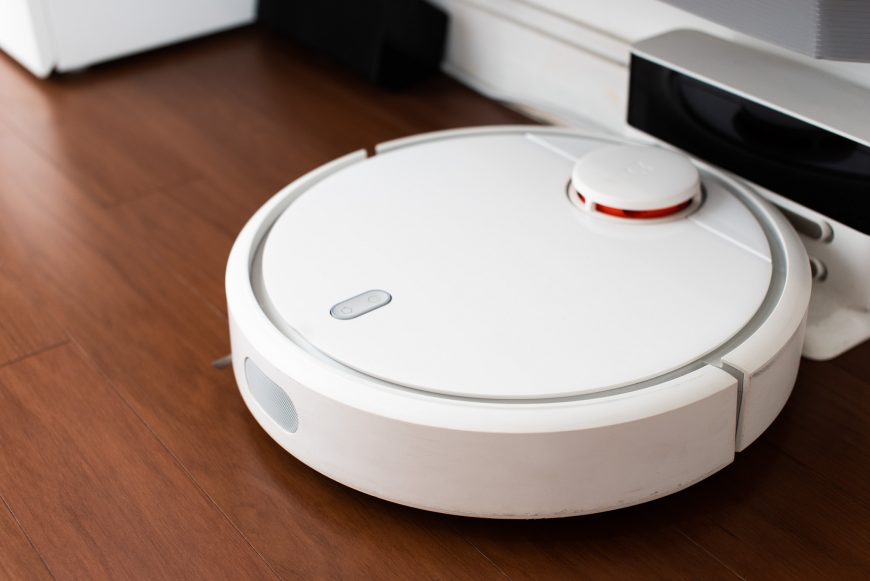
Xiaomi Vacuum Cleaner robot vacuum
Click here to see it on a price comparison site
Vacuuming is a complete waste of time. In Thailand, people practically always walk barefoot around the apartment. If you do not vacuum every day, your feet quickly become covered with all those tiny bits of dirt. I needed a robot vacuum. The requirements were that it had to be quiet and clean reasonably quickly, which meant scanning the room and traveling through it in an orderly way.
I watched an unbelievable number of robot vacuum tests before buying the Xiaomi... At first, I did not consider it at all. I bought just after launch, when it was not yet popular outside Asia. I was choosing between the Roomba 980 and Neato Connected, both at a similar price. I chose the Neato, but because this was supposed to be a purchase for many years, the frequency with which I found discussions about failures worried me. Eventually, someone told me I absolutely had to check the Xiaomi too. Its low price had made me assume it was one of those vacuums that crashes around an apartment in random directions until there is statistically no chance it has missed anything. I was "slightly" surprised when I saw the technology inside and how well it compared with the top Neato and Roomba models. Since the Xiaomi cost several times less and performed equally well, and often better, I decided to take the risk and buy it. That was near the end of 2016, and after all this time I can safely write that it was one of the best purchases of my life.
I set it to clean in the morning before I wake up. My apartment has laminate flooring and no rugs, so even the ultra-quiet mode works very well for me. It enters the bedroom while I am asleep without waking me, although that is probably because I always wear earplugs. For the past few months, the vacuum has communicated in English instead of speaking Chinese. It also has a fairly good app where you can set a schedule, check cleaning statistics, both totals and the last dozen or so sessions, and see a map of the apartment created by the vacuum with its route marked on it. The map is very useful at first because it shows whether there are any places the robot cannot reach.
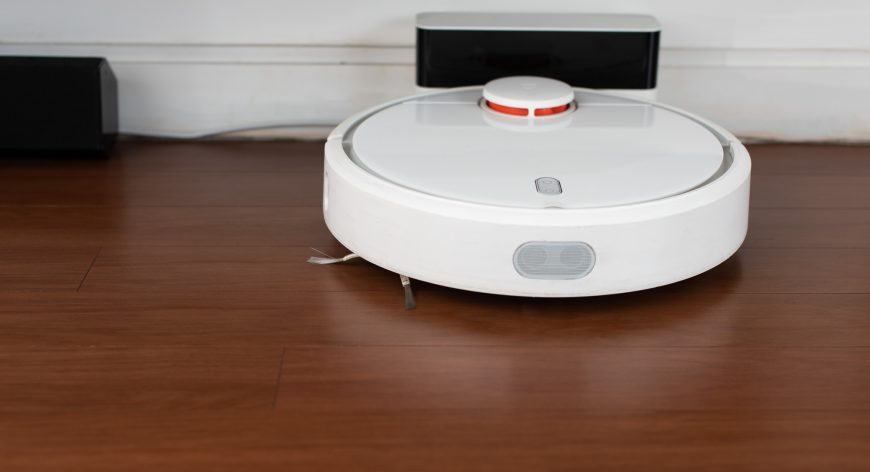
Cleaning is very thorough even in quiet mode. So far, it has only failed to pick up some balls of cereal similar to Nesquik because the brush knocked them away, and toothpicks. But that was in quiet mode, above which there are standard, maximum, and turbo modes. I use those so rarely that I do not know whether they would have done better. Because of the aforementioned lack of rugs, the brushes have shown almost no wear after more than a year, while the HEPA filter lasts six months and costs a dozen or so zlotys.
Of course, every rose has its fire, or something like that. The Xiaomi cannot cross one threshold in my apartment. Thai bathrooms have very large thresholds, and mine is 5 cm. It would also be nice to mark part of the apartment on the map as an area to avoid. At present, you do that with magnetic strips. A newer generation of this vacuum is now available and supports the latter feature. The newer version also has a water tank and can do some makeshift mopping. It handles higher thresholds too, although still not one as large as mine.
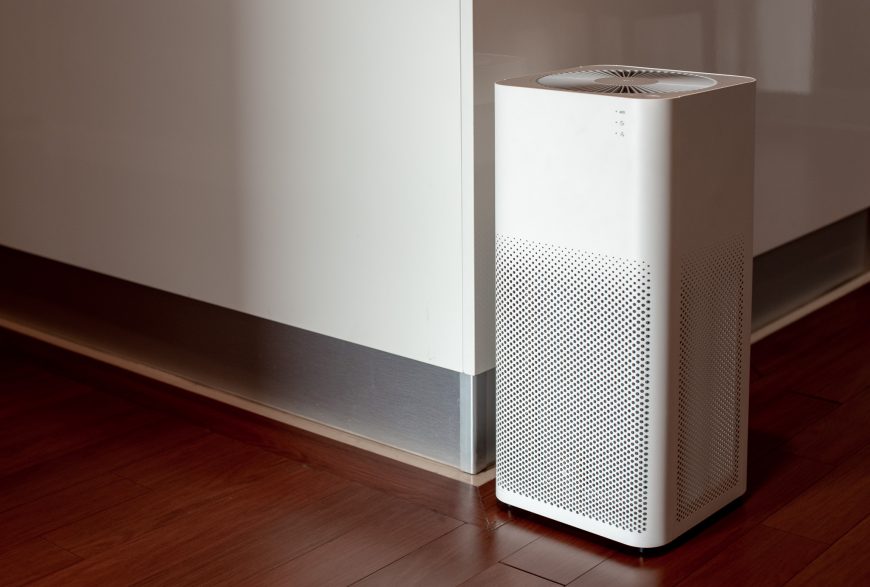
Xiaomi Air Purifier 2 smart air purifier
Click here to see it on a price comparison site
In some parts of Asia, air purifiers are as common as air conditioning or heating. That is not true in Thailand, even though the smog here can be as severe as in Poland during winter. I bought the Xiaomi Air Purifier 2 because I know of no alternative. It is exceptionally inexpensive, powerful enough, and very effective. I cannot hear it at all in quiet mode, and its filters are among the cheaper ones. I do not think any direct competitor has appeared even now. People bought these at twice the price because even then they were a fantastic deal compared with competing smart purifiers, especially once running costs were considered. They can now be bought easily in Poland, and many people I know have done so.
"Unfortunately", it turned out to be a misguided purchase for me. Bangkok really is buried in smog, but the place where I live proved free from polluted air. There are trees, the windows are sheltered from wind coming from the street, and the highway is a kilometer away. Measurements show that the air in the apartment is almost perfectly clean without purification. I do not think I have ever seen PM2.5 above 50 AQI/m3, about 12 μg, and it is generally several dozen percent lower. So the Xiaomi has very little to filter. I did not own a meter before, so I did not know this. In the end, I put the Air Purifier 2 in the bedroom and programmed it to clean the air for an hour before I sleep. With that use, one filter should theoretically last about five years instead of the standard six months.
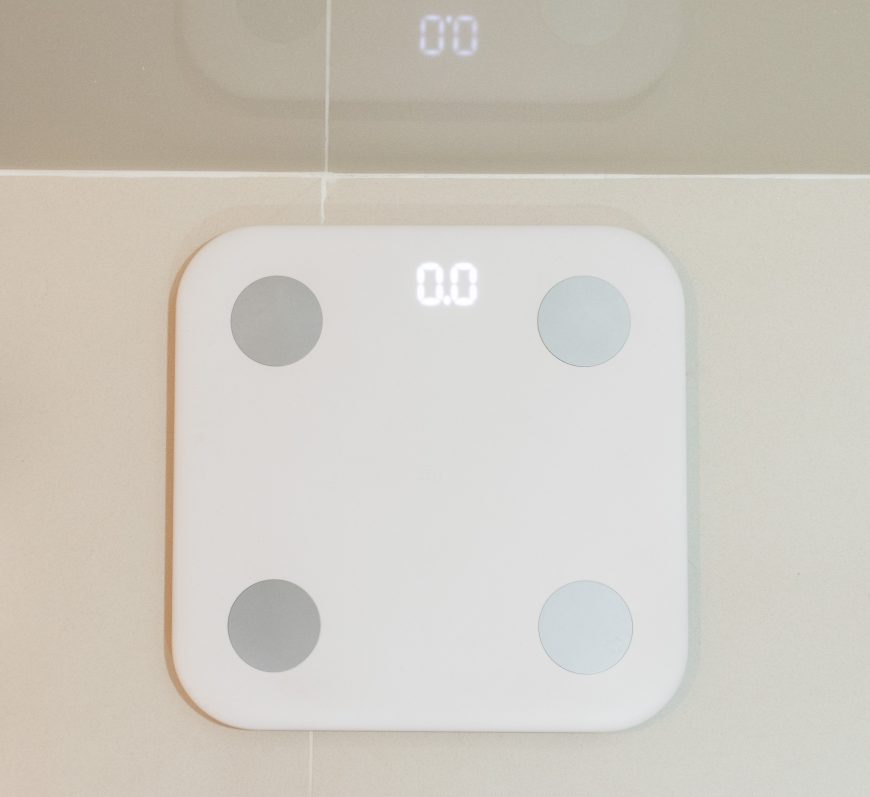
Xiaomi Smart Body Fat Scale 2
Click here to see it on a price comparison site
It weighs you and measures BMI, bone mass, muscle mass, and so on. I suspect its measurements are nowhere near those from professional equipment, so I treat them as rough indications. Most importantly, it measures weight correctly. It connects to an app and sends all the information there, after which the data goes to Apple Health. Recording my weight manually had begun to annoy me, and nothing motivates a diet like looking at a weight chart heading toward outer space.
I bought this model because of that Apple Health integration and its low price. Competitors were several times more expensive. Unfortunately, the design is unimpressive. I would also prefer communication with the phone to work differently. At present, the app must be open while you weigh yourself. Admittedly, you only need to do that occasionally because historical data will also transfer then. Even so, a small Bluetooth base connected to the router and forwarding the data would be more convenient. Unfortunately, I do not think any scale works that way, which probably has some justification I have not considered.
Other smart things There are so many that they would require a separate post, and perhaps that will happen one day...
Other
Mighty Mug glasses
Click here to see the model currently on sale on a price comparison site
This may not be very technological, but your first encounter with these glasses and mugs gives the impression that some kind of magic acts on them.
I have lost count of how many keyboards I have flooded with tea. Once, the entire drink even passed through the case and barely missed the motherboard. I was getting tired of this, and my wallet even more so. You cannot knock over a Mighty Mug, although you lift it like any other glass. Obviously, if I take a baseball bat and hit it, I will move the glass or break it into pieces, but accidentally hitting it with my hand will not knock it over. That is thanks to a clever mechanism beneath the mug, part of which is obviously a suction cup. I use the large version, which looks like an ordinary, fairly big glass. It is made from Plexiglas thick enough for you to hold the mug when it contains boiling water. Most Mighty Mug models, however, are mugs with lids.
I will try to post a video showing how it works on my Instagram.
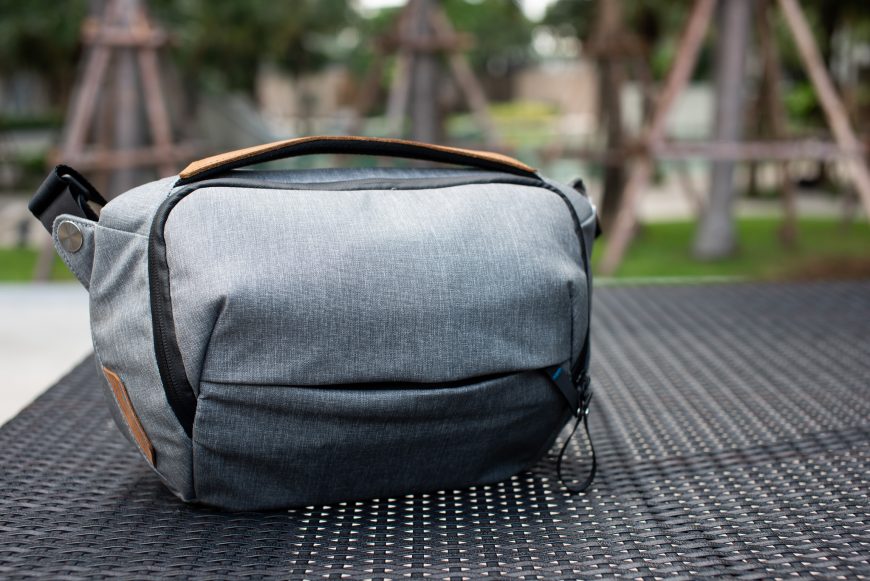
Peak Design Sling 5L bag
Click here to see it on a price comparison site. There is also a black version
I fell in love with Peak Design when the company sent me the Messenger to test, a brilliantly designed and very well-made camera bag that I already described on the blog. I had barely used bags before because I was #TeamBackpack, but the Messenger was so well made that it changed my attitude considerably. I still needed one more, much smaller bag for daily trips around the city. It needed to hold a 10.5-inch iPad Pro with keyboard, a compact camera, over-ear headphones, a power bank, a Xiaomi tripod/selfie stick, and a few small items and cables. It also had to be very light, splash-resistant, comfortable to carry with a good strap, and provide quick access to everything. Unfortunately, Peak Design did not make such a bag. The Sling 10L existed, but it was twice as large as I needed. It was as wide as my Messenger, so I rejected it immediately.
I searched for the right model from other companies without success. Nothing suited me. I searched for so long that Peak Design eventually created exactly such a bag... the Peak Design Sling 5L. I bought it in Poland because Peak Design products are unfortunately not officially available in Thailand, which sends prices into space.
The Sling 5L is uglier than the 10L version and is not available in the color I like most. It does not surprise with brilliant solutions like the Messenger either. But it is almost exactly the size I need, light, and very comfortable to carry. I barely feel it on my back or shoulder. I can squeeze through a crowd without constantly watching for the possibility of hitting someone.
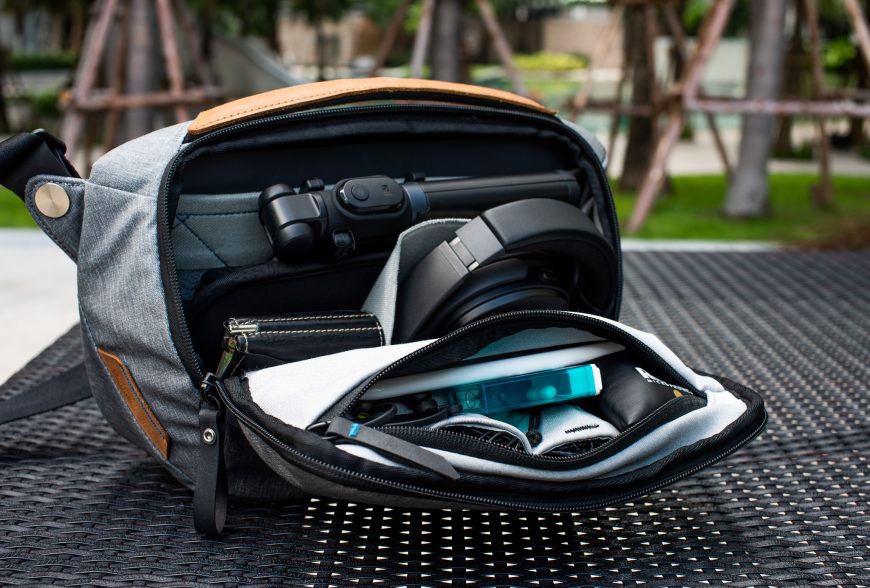
The specifications do say a 10.5-inch iPad Pro will not fit, and I even canceled my first order for that reason, but this turned out to be untrue. I will not claim putting it inside is very comfortable, though. It only just fits. This is a camera bag, so its Velcro-mounted dividers let you modify the interior. Peak Design uses dividers unlike those from any other company, which make much better use of the space. You can place one lens above another, for example.
My Nikon D810 with a Sigma 50 mm 1.4 HSM can be forced into this bag, but it is clearly too small for that. A full-frame mirrorless camera would probably fit without much trouble, although without any additional lens. You can also mount the camera outside with a Capture clip because the Sling has a place for one. But I did not buy this bag to carry professional photography equipment, and I do that very occasionally.
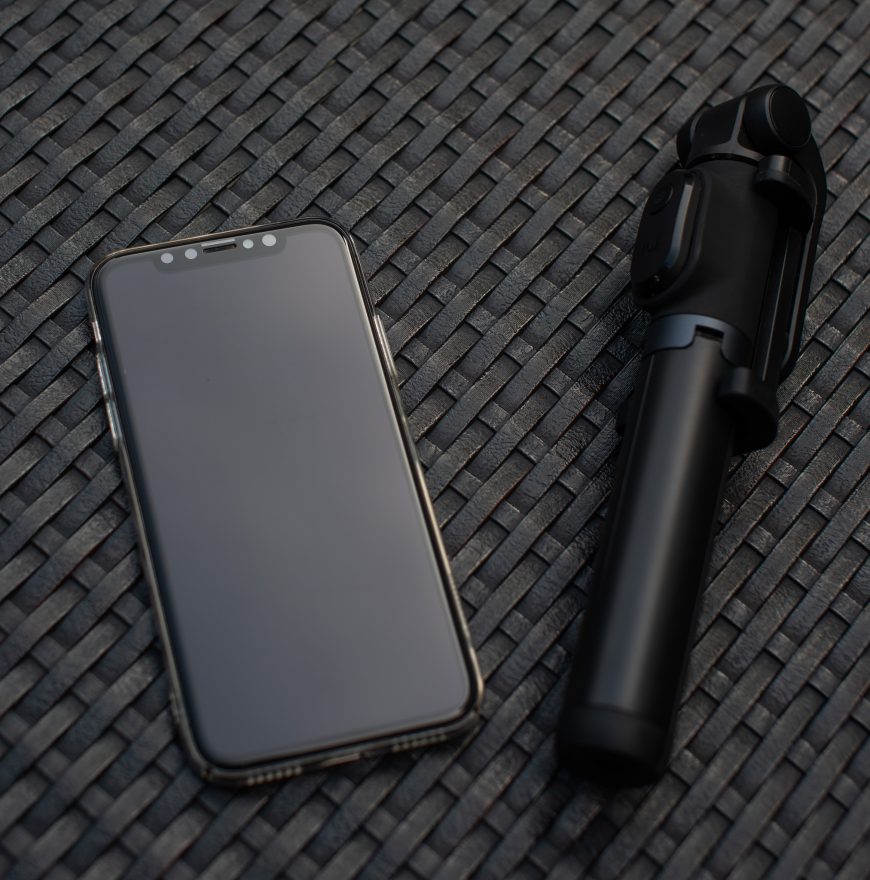
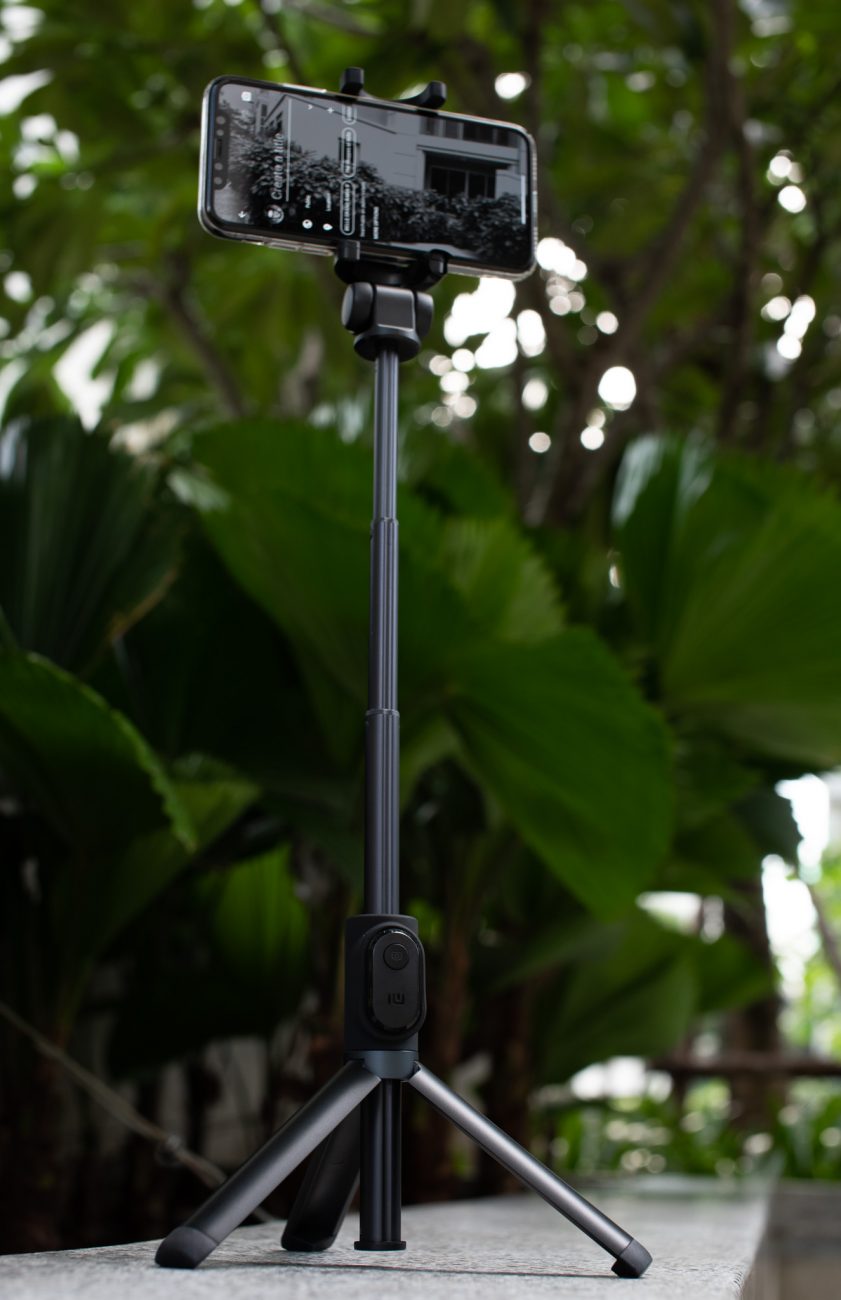
Xiaomi selfie stick (phone tripod)
Click here to see it on a price comparison site
I always keep this in my bag and use it for every video call. When placed on a table, it holds the phone at head height, which is perfect for not looking like a caricature of yourself. It is also suitable for any live stream. Obviously, it is not as stable as a normal, heavy, huge tripod, but it does its job. I never use it as a selfie stick because I do not understand why I would want to take photos of myself, but the tripod function is very useful.