Setapp—does a single subscription for a bundle of apps finally make sense?
Most of my readers have probably long since become accustomed to paying Adobe a subscription for its photography plan, which includes Photoshop and Lightroom. Setapp, meanwhile, offers more than 100 paid macOS applications for $10 per month. By paid, I mean that without Setapp you would buy each one separately—sometimes for tens of zlotys, sometimes hundreds. The base price for Setapp was $10 before tax, with educational discounts and a family plan also available. Initially, I treated it as nothing more than a curiosity because it lacked many of the applications I used or wanted to use. Eventually it included enough that I tried the free week and then paid for a subscription. The best approach is to test it yourself. The trial is free and there is no automatic charge after it ends; the subscription begins only when you manually click the activation button after the week. Setapp is available through this affiliate link.
There is no point describing every application because the full list is available through the link above. Many are not particularly useful, or do the same thing as another app in Setapp, so installing everything makes little sense. I’ll describe the apps from the bundle that I use myself and explain why. Every application in Setapp is the latest version.

Setapp applications I had already used for years, or whose alternatives I had used
BetterTouchTool An application without which using a computer could never be as convenient—and one day I’ll record a video about it. BTT lets you use all kinds of trackpad gestures that can perform almost any action. I’ve used it since buying my first Mac, and when I sit at a friend’s computer without it, I feel disabled. Unfortunately, BTT began requiring its license to be renewed every two years, making it somewhat like a subscription, so I was pleased to see it join Setapp. My most important gestures:

You can create much more complicated gestures or assign them to the trackpad’s corners. The trackpad is only one option: you can also make working with a mouse or Touch Bar easier, create keyboard shortcuts, and much more.
Bartender This is another application almost everyone will probably use. It hides unwanted menu-bar items—the icons along the top bar.
 You can quickly reveal them later by clicking Bartender’s menu-bar icon, or remove them completely. There are plenty of configuration options.
 Before getting Setapp, I used Vanilla, which served the same purpose but offered fewer options and regularly suffered from a bug that covered the active application’s menu. Bartender works much better.
CleanMyMac X This used to be an application for clearing unnecessary files from a drive, removing unneeded language packs, and so on. Its capabilities later became much broader, and I had missed it because my version didn’t support the latest operating system. At the same time, I didn’t want to spend that much money again merely to make it work on a newer system. At the time, it cost around $40 per year.
 It isn’t an application I couldn’t live without, like the ones mentioned earlier. But since it was included in Setapp, I installed it immediately.
iStat Menus Almost every Mac user probably knows this application. It displays a huge number of parameters in the menu bar, from processor and drive temperatures and readings from dozens of other sensors to memory information, power consumption, and much more. Frankly, there is far too much data, but you can customize it and disable everything unnecessary.

This was another application for which I owned an older version that didn’t work with current computers, and I was reluctant to spend money on it again after operating-system updates. Modern Macs are so fast that obsessing over all these indicators makes little sense, but several are extremely useful, so the application is worth having.
MindNode 5 An application for creating mind maps. Every time I showed the table of contents for one of my courses, people flooded me with questions about which application I used to create graphics like these:
 They were created in MindNode, although I was always reluctant to pay for the macOS version because I made my maps exclusively on the iPad. At last I no longer needed to pick up the tablet every time I wanted to import a mind map, or pay the full price of the application solely for that purpose. Setapp includes several other mind-mapping apps if someone wants a different one, but I consider MindNode excellent.
Downie Downloading files from YouTube is easy, but complications begin when you want quality above 720p because the audio and video streams are stored separately. Many applications fail at that point, or work properly one time and not the next.
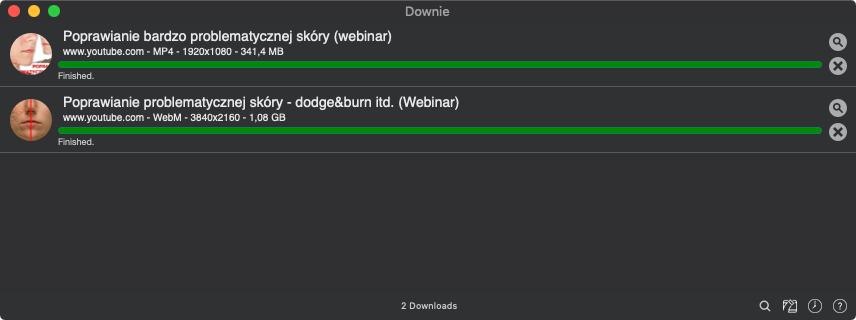
I record my live streams at a minimum of 1080p, and Downie downloads them without any problems.
MacPilot This lets you change a huge number of operating-system options instantly—settings that normally require work in Terminal. Free alternatives exist, but this one includes everything necessary.
 Lungo
An application that temporarily prevents the computer from sleeping. Until then, I had used the free Caffeine for this purpose, but it lacked an option for setting the duration in advance. Lungo provides one.
Lungo
An application that temporarily prevents the computer from sleeping. Until then, I had used the free Caffeine for this purpose, but it lacked an option for setting the duration in advance. Lungo provides one.
 ForkLift
A convenient FTP client that works without problems and can preview images on a server, which is very important for me.
ForkLift
A convenient FTP client that works without problems and can preview images on a server, which is very important for me.
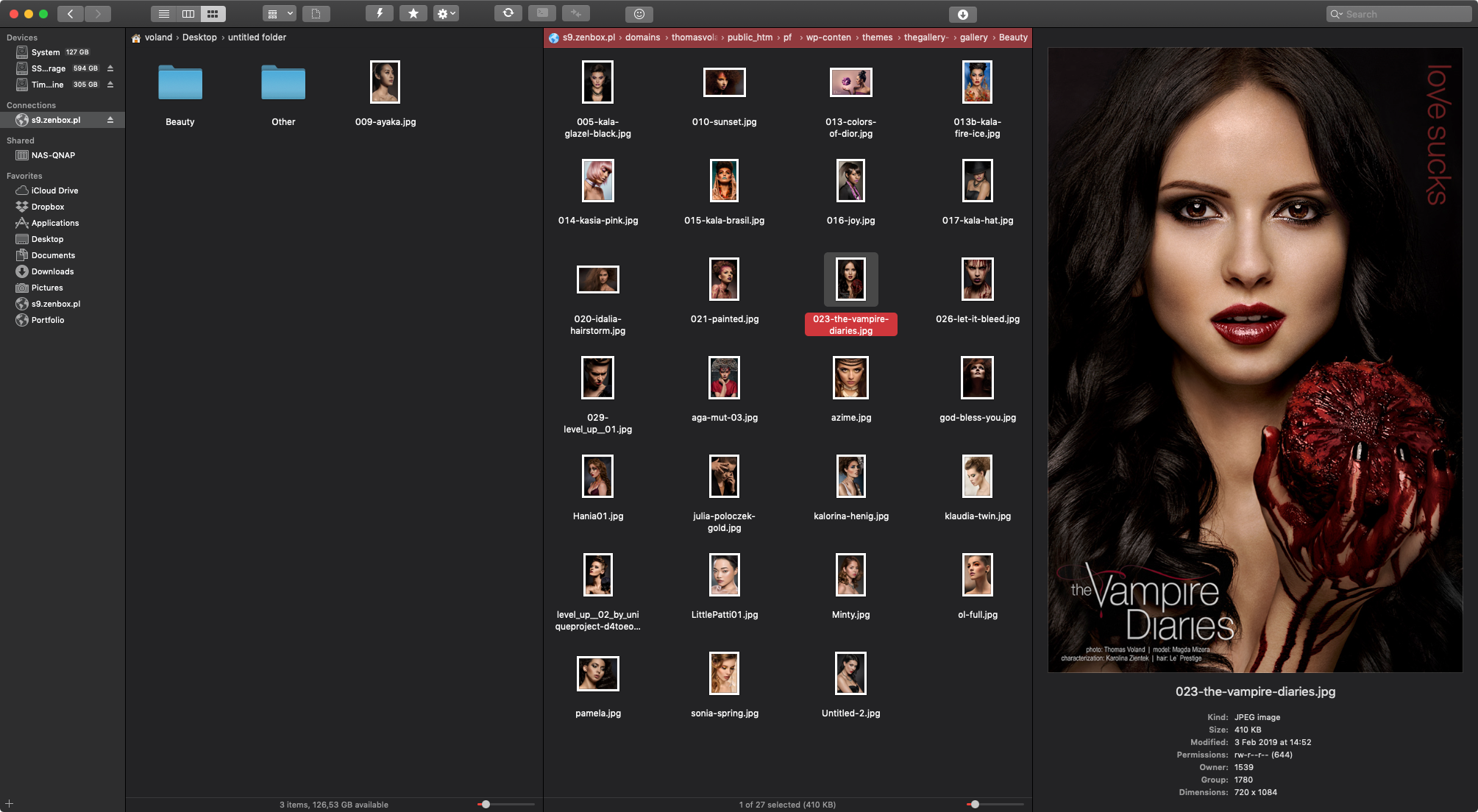
I was much happier with it than with Cyberduck. I previously had an older version, so after buying Setapp I upgraded to the latest one. I don’t use any advanced features.
Applications that many of my readers—and I—would probably use
Ulysses A legendary writing application, particularly for long texts such as books and doctoral dissertations. It’s expensive, and I had always used simpler alternatives. I would gladly write in Ulysses, but I would also need to buy an iPad license because that is where I do most of my writing. For the moment, I was pleased that it was in Setapp but didn’t install it.
Boom 3D Another legendary application, mainly useful on older laptops with weak speakers, although I had never used it for more than a moment. Among other things, it makes laptop speakers play louder than normal.
Get Backup Pro Everyone needs backups; I wrote an entire article about it. Until then, I had used Carbon Copy Cloner for backups and had recently renewed its license. When that expired, however, I would probably move to this application rather than paying for CCC again.
Cappuccino This was one of my favorite RSS readers. By then, I read feeds only on an iPad through Feedly, but if I were doing it on a Mac, I would use Cappuccino.
Flume An application that might finally persuade me to post to Instagram more often. It lets you browse photos, publish them, use direct messages, and more. I installed it, but because I prefer browsing Instagram on my phone, I would probably open Flume only occasionally and could live without it.
There were more interesting applications, but I focused on the most broadly useful ones that almost anyone could appreciate.
Is it worth it?
Certainly not always. Not long before, Setapp contained far fewer applications, and at that point it made no financial sense for me. Some people might still fail to find enough useful apps there. In my case, at last there were enough that I would save money. It also put an end to wondering whether I really wanted to renew a particular license or whether it wasn’t worth it. If ScreenFlow and Hindenburg Journalist Pro joined the subscription, I would be delighted, although it would probably never become that good. Photoshop had no chance, so I didn’t even count on that, but Affinity Photo seemed more plausible. Even though its marketing relied on a one-time payment rather than a subscription, it could have worked in Setapp. I didn’t write about graphics or photo-editing applications here. I simply needed nothing besides Photoshop and a RAW processor, so there was no reason for me to investigate what Setapp offered in that category. It certainly had nothing comparable to Affinity Photo or even Pixelmator.
Try Setapp free for a week: link.