Gloves for retouching photos on a pen tablet - why use one, and is it worth it?
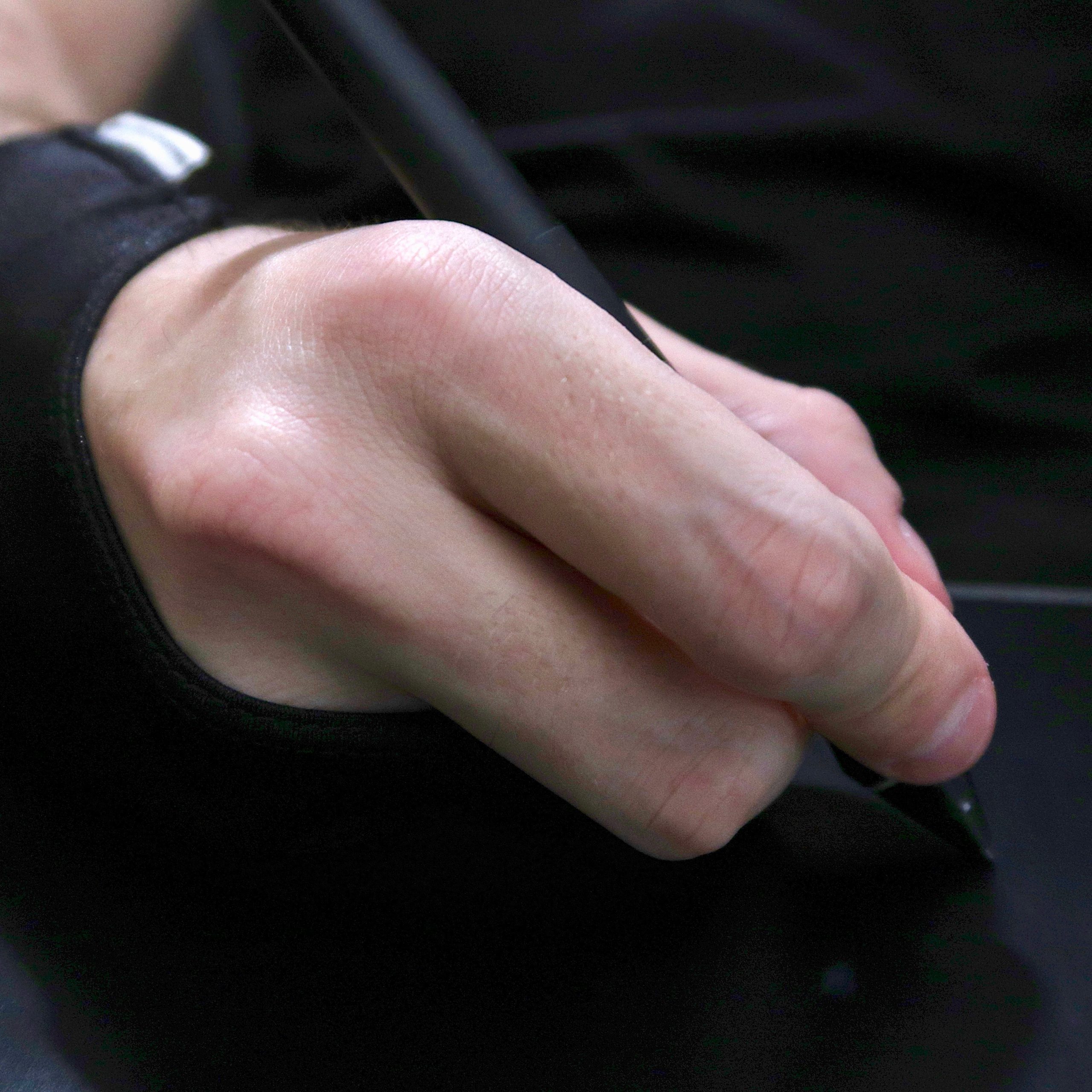
Do you use gloves for retouching? Almost nobody does. In fact, few people even know they exist. Whenever my hand was visible during webinars, people often asked whether something had happened to it, "what is that strange thing on your hand?", and "how much does it cost?"
I used to review gloves all the time, except those were made of leather, reinforced with Kevlar, and mainly intended to keep your hands intact if you slid down asphalt after coming off a sport bike. Compared with those inventions, the gloves you will read about today are so simple that a very short article is enough to explain everything about them and describe a few different models.
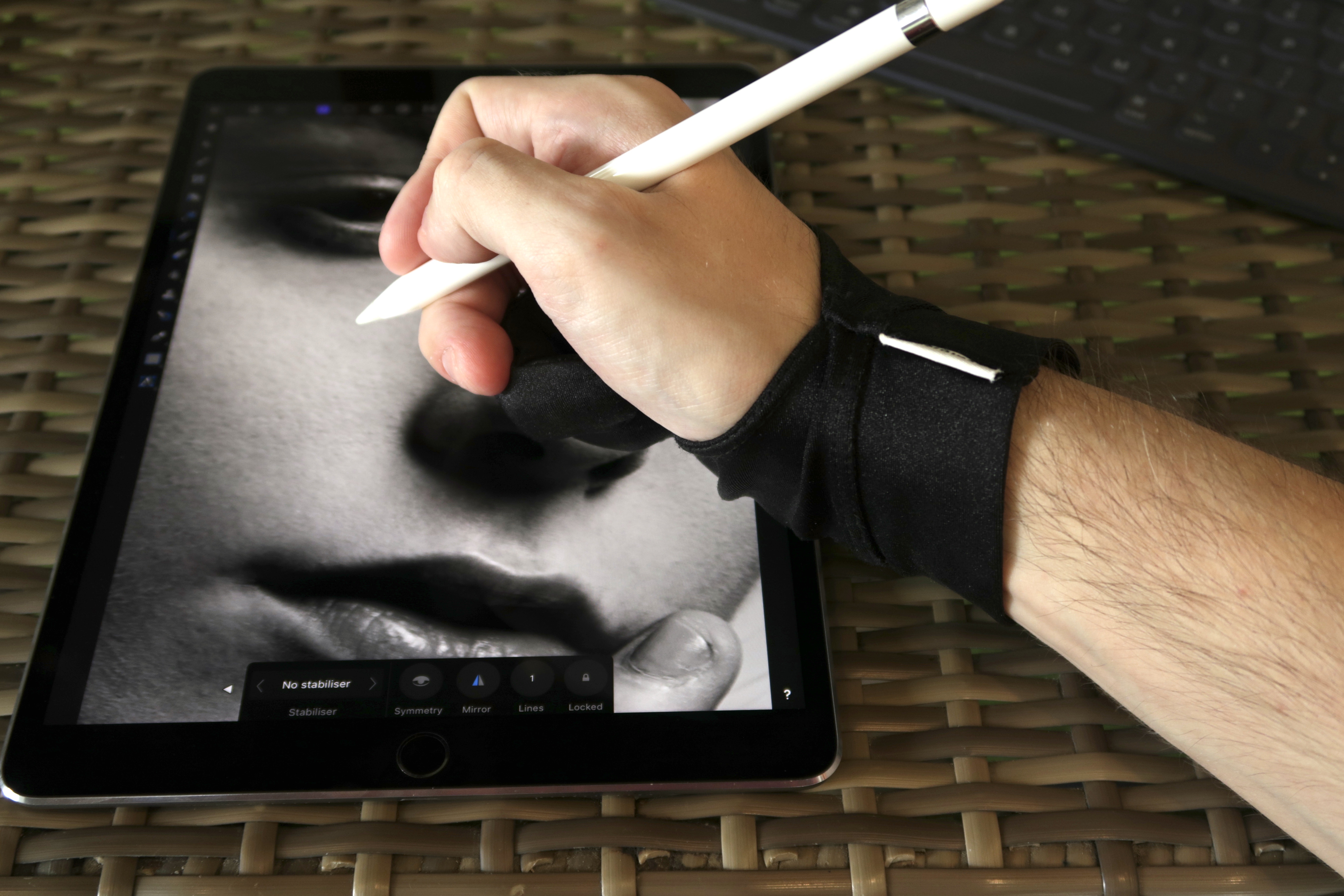
A retouching glove is a piece of fabric that lets your hand slide much better across a pen tablet. It does not cover the whole hand, only what is necessary. No part of these gloves is reinforced, there is no choice between models with internal or external seams, and there is no technology straight from NASA.
For many years, I retouched by sliding my bare hand across the tablet, and it was fine. Only when I did marathon retouching sessions lasting a dozen or more hours, day after day, did I end up wrapping a bandage around the rubbed skin on my ring finger, right at the bend where it constantly touched the tablet. When I first came across retouching gloves, I noticed two models from the same company, SmudgeGuard. The first covered only the little finger, while the second also covered the ring finger. I thought the one-finger version was useless to me, but the other one might solve the problem of my rubbed skin. Otherwise, it would never even have occurred to me to take an interest in gloves like these. That would have been a shame because they make work much more comfortable.

Working comfort
At first, I put the glove on only when sitting down for a longer retouching job. I still did shorter jobs the old way. Over time, I used the glove more and more often until I started putting it on whenever I had anything to do that would take more than two minutes. By then, of course, it was no longer about protecting my finger. My hand simply slides across the tablet with much less resistance, and I find it much nicer to work that way. For a long time, I thought the Thai heat was responsible for such a big difference between working with and without the glove. And that is true. Without air conditioning, my office is over 30 degrees, so my hand encounters more resistance when moving across the tablet than it would in colder conditions. Then I realized that I now almost always have the air conditioning on while retouching, yet I still work much better with the glove than without it.

As long as your wrist stays in one place, wearing a glove or not makes little difference. But whenever you need to move your hand, it is perfectly smooth with the glove and can vary a lot without it. I do a great deal of dodge&burn and try to jump regularly from one part of an image to another instead of focusing on individual areas for a long time. This means my hand is constantly changing its support point. A size M tablet, which is what I use, also gives the wrist more room to move than a size S.
I suspect it is a little like cars. Someone with a C-Class probably does not find it bad to drive and does not feel an urgent need to replace it. But after hundreds of thousands of kilometers in an S-Class, they would probably be reluctant to go back to that C-Class and could list every one of its flaws. Until such smooth hand movements across the tablet became normal for me, I did not miss them. Later, I got so used to the greater comfort that I will certainly never give it up. Does this mean my retouching is better? No. It has no effect on skill, so anyone hoping that it will improve their editing results will be disappointed. A glove only affects comfort, so it is definitely not essential. The difference is not even one tenth as large as the difference between retouching with a mouse and with a pen tablet. Moving to a tablet takes you to a completely different level, while a retouching glove is simply a step toward greater comfort at work.
Other uses
The same gloves are also used for drawing. They have an extra purpose there. For example, sliding your hand across a sheet covered in graphite does not get it dirty, but that is irrelevant in retouching. Another use is working with a stylus on tablets, not pen tablets but devices such as an iPad. The purpose is the same as when retouching on an Intuos, with the added benefit of reducing handprints.
Different models of retouching gloves
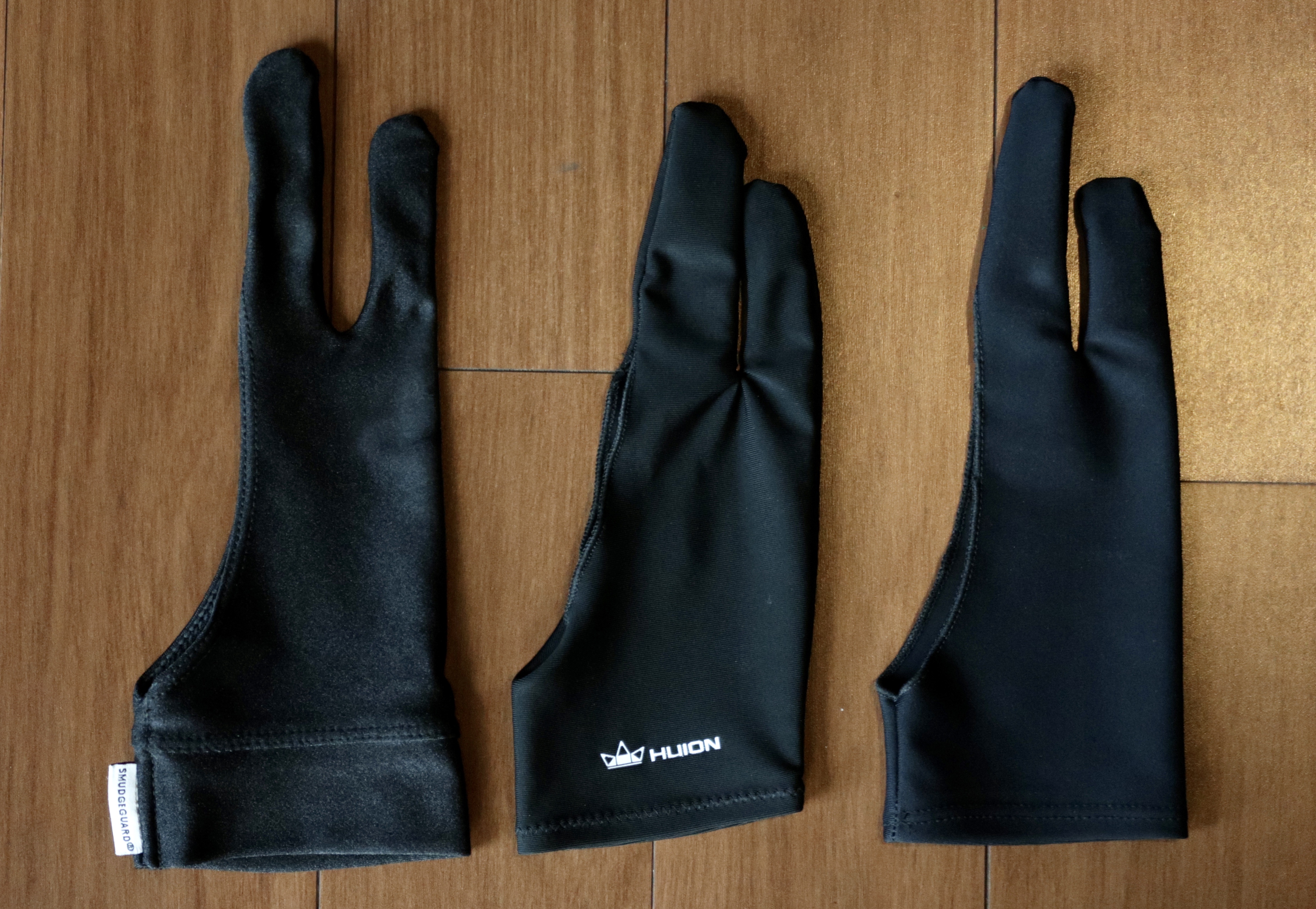
I first bought a SmudgeGuard and used it every day. I did not buy a second glove until several years later, and I bought it only for this article. I wanted to see how they differed and where the huge price range came from. The second glove was from Huion, a company known mainly for inexpensive pen tablets. Its glove is also reasonably priced, or at least that was what I initially thought. 25 PLN is much less than 79 PLN for the SmudgeGuard. But in the end, I ordered one more glove, this time from China, for... $1. One dollar, including shipping.
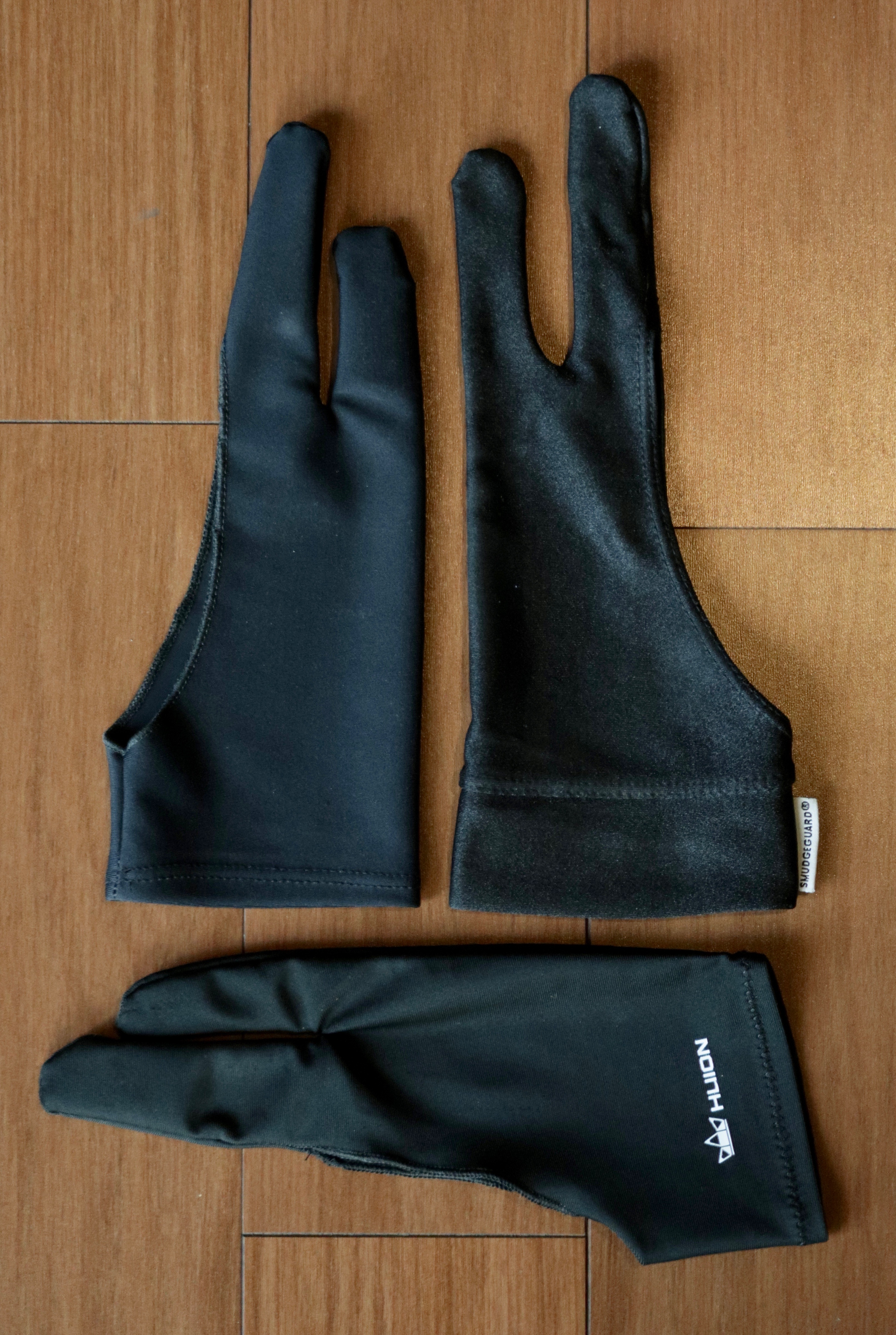
SmudgeGuard 2 (79 PLN) Probably the most expensive glove on the market. It is the only one available in several sizes, so I could buy one that fit my hand as well as possible. It comes in two versions, SmudgeGuard 1 and SmudgeGuard 2, but the 2 is not an improved version of the 1. The "1" simply covers one finger, the little finger, while the "2" covers the ring finger as well. That is why I was only interested in the "2" model.
The fabric is very different from that used in the other two gloves. At first glance, you can see that it is completely different and reflects much more light. If someone showed me all the gloves I own and asked me to guess which cost the most, I would point to the SmudgeGuard without the slightest hesitation. I suspect everyone would, although the difference is hard to see in photographs.
I was seriously concerned about the durability of the fabric. If my finger could not handle rubbing against the tablet for dozens of hours, would the glove need to be thrown away after the first year or even sooner? I still have that first glove, and there has been no need to replace it. It remains in excellent condition. I find it hard to estimate the exact total number of hours, but it is certainly in the four figures. The fabric has become less shiny where the skin used to rub off my finger, as well as along the side of my hand that constantly touches the tablet. But it has not worn through, none of the seams have come apart, and it does not look much different from when it was new. I thought it would be worse after all this time, but it seems that the SmudgeGuard 2 will last me much longer.
 Huion (25 PLN)
This model comes in only one size, probably intended for hands without especially long fingers. But if you buy a retouching glove that is too small, it should not be a major problem. When you grip the pen, the fabric will simply sit differently on your hand, cover a different portion of it, and end at a different point on your wrist. You can still work with it. At least my hand can cope with these sizes that are too small.
Huion (25 PLN)
This model comes in only one size, probably intended for hands without especially long fingers. But if you buy a retouching glove that is too small, it should not be a major problem. When you grip the pen, the fabric will simply sit differently on your hand, cover a different portion of it, and end at a different point on your wrist. You can still work with it. At least my hand can cope with these sizes that are too small.
Most importantly, the Huion slides well across the tablet, so it does its job. I have used it only a little, perhaps 150 hours, so I cannot comment on its durability. Compared with the mileage on my SmudgeGuard, that is nothing. I can only say that nothing worrying happened during that time. After writing this article, I will return to my previous SmudgeGuard because its size suits me better. But if it fell apart and I had to use the Huion for a while, I would not feel that my work was now much worse. It is fine.
No Name ($1) While browsing online, I was convinced that this glove was the same as the Huion but without the printed logo. I was wrong. There are loads of gloves like this on eBay, so perhaps some of them are the same, but the one I bought is not.

The fabric, and its overall appearance, is very different from the SmudgeGuard but almost identical to the Huion. It has slightly strange finger lengths, though. The ring finger is longer than on the Huion, while the little finger is surprisingly... little. But as I mentioned, this matters far less than it would with normal gloves. As for durability, nothing worrying is happening, but too little time has passed for me to judge it.
Details
I find it hard to judge heat and moisture management. My hands do not sweat too much, and I do not work in conditions where any difference between the gloves would be apparent. If I lived in a bungalow on a Philippine island, I would probably notice any differences quickly, but they will not matter to most people. Besides, the fact that a large part of the hand remains uncovered provides plenty of ventilation by itself. Seams All these gloves have internal seams, but there is nothing stopping you from wearing them inside out and putting the seams on the outside. It changes nothing, though. Your hand holds the pen in a position where the fingertips touch the inside of your hand and press the seams against your fingers regardless of which side they are on. With every glove, I sometimes found that the seams caused slight discomfort after a long time. At other times, I could retouch all day without feeling them at all. It was almost never bothersome. I would simply see the seam marks on my fingers after taking the gloves off. Left- and right-handed use It does not matter whether someone is right- or left-handed. Every glove will work because they are all symmetrical. Gestures While retouching, I sometimes leave Photoshop for a moment to open a web browser, look through some files on a drive, and so on. I rely heavily on trackpad gestures then. In addition to the standard ones, I have programmed more than a dozen extra gestures that I really do use constantly outside Photoshop. Some require four or five fingers, and they still work correctly on the Apple Magic Trackpad 2 while I am wearing the glove. The gestures also work on an iPad, although less precisely, and it sometimes misinterprets one.What should you buy?
If you do not know whether you will like working with a glove, you can safely start with the one-dollar model to see what it is like. Even if it falls apart, it will not be a great loss. My only concern is that this universal size may not be large enough for people with thicker hands, although it does not bother me enough to disqualify it.
But if the one-dollar glove fell apart or did not fit well enough, I would buy the SmudgeGuard 2. Switching to the Huion would not change much because it differs very little from the No Name. You cannot choose its size either, and the workmanship and fabric are similar. You only see a big difference with the SmudgeGuard. So if I did not have the budget, I would probably buy another one-dollar invention rather than the Huion.
I do not like compromises, and the different sizes mean the SmudgeGuard fits me best. This does not matter enormously with gloves like these, but given how long it will be used, meaning several thousand hours, I choose the best option and one proven over the long term. The high price is certainly not due to the cost of the materials. It simply comes from a high margin. But I always try to consider the total cost of my workstation, and an extra 79 PLN makes no difference. The Intuos Pro M tablet alone costs more than 20 times as much.
I was somewhat tempted to run long-term tests of the Huion and No Name. They are good enough that I could use them every day, and either would certainly be much better than using a bare hand. But such tests would have to last many years, so I prefer to return to the SmudgeGuard. If it eventually falls apart one day, I will mention it.